A gaming desk looks like a regular desk until you spend six hours at one. Most budget models force your keyboard to a fixed height, push your monitor into your neck, and leave cables in a knot. The result is shoulder blade pain, forearm fatigue, and lower back stiffness that has nothing to do with your chair. At ErgonomicOffice we treat the desk as the foundation of a neutral working posture, whether you are grinding ranked matches or writing code. Our baseline guidance comes from OSHA ergonomics recommendations for reducing awkward postures at computer workstations. A desk that cannot adjust forces your body to adapt, and that adaptation usually means strain.
We focused on five desking paths in 2026: premium sit-stand gaming desks, value frames, heavy-load standing desks, wide fixed tops, and budget fixed desks. Each option was checked against three criteria. First, the height range has to support a 90-degree elbow angle for both seated and standing play. Second, the desktop depth needs at least 24 inches so your monitor does not sit too close. Third, cable management has to survive a triple-monitor setup without turning into a fire hazard. We also weighed warranty length and real load ratings, not marketing copy. For a full setup walkthrough, read our how to set up an ergonomic workstation guide.
Height adjustability is no longer a nice-to-have for gamers. A fixed 29.5-inch desk works for people around 5'8" to 5'10", but leaves shorter users with lifted shoulders and taller users hunched. That is why we gave extra weight to desks with motors that hold at least 250 pounds. If you already own a solid desk but want sit-stand benefits, a converter may be cheaper. We compare those options in our best standing desks 2026 article. But if you have the floor space, a full sit-stand gaming desk solves cable routing and stability better than a converter.
Method note: we did not accept free review units for this guide. Prices reflect typical US street pricing in early 2026 and shift with sales. We also cross-referenced common desk-related pain patterns with our guide on home office ergonomic mistakes neck and back pain. If your lower back hurts after an hour of play, the desk height is often a bigger factor than your chair. This article assumes you already have an adjustable chair and focuses on the work surface. Use the table below for a quick spec comparison, then read each section for the details that matter.
How Do the Top Options Compare?
| Model | Best For | Height Range | Desktop Depth | Price |
|---|---|---|---|---|
| Secretlab Magnus Pro | Premium sit-stand with integrated power | 25.6-49.2 in | 31.5 in | Check Price |
| FlexiSpot E7 Pro | Best value dual-motor frame | 22.8-48.4 in | Up to 30 in | Check Price |
| Uplift V2 Standing Desk | Heavy dual-monitor gaming rig | 25.5-51.1 in | Up to 30 in | Check Price |
| Arozzi Arena Gaming Desk | Extra-wide fixed top | 29.0-32.0 in | 32.5 in | Check Price |
| Homall Gaming Desk | Budget fixed desk | 29.5 in fixed | 23.6 in | Check Price |
Price cells are affiliate links. Height ranges vary with desktop thickness and frame configuration. Always measure your floor space and seated elbow height before buying.
1. Secretlab Magnus Pro , Premium sit-stand gaming desk with integrated power

The Secretlab Magnus Pro is the rare gaming desk that treats cable management as a structural feature, not an accessory. The steel desk has a full-length magnetic cable tray under the rear edge. You can drop power strips, USB hubs, and display cables into the tray, close the metal cover, and forget them. That matters because a cable mess at floor level is a common cause of foot and ankle strain when you unconsciously avoid wires. Check the Secretlab Magnus Pro for current pricing.
Sit-stand range runs from 25.6 inches to 49.2 inches, which covers seated users from roughly 5'2" to 6'6". The desktop depth is 31.5 inches on the standard 59-inch model. That depth gives your monitor arm room to push the panel back and keep your eyes at a proper distance. If you run a dual monitor setup, pairing this desk with a best monitor arm 2026 recommendation frees up even more clear space for a large mouse pad.
The integrated power supply column delivers up to 180W to the desk surface. You do not need to drill a grommet or run an extension cord across the room. Weight capacity is 264.5 pounds, enough for a heavy PC tower, triple monitors, and a full water-cooling loop. The steel frame stays stable at the top of the range, although the desk weighs about 114.6 pounds. You will need help moving the box.
Downsides are the price and availability. Expect to pay around $949 for the standard Magnus Pro, and the XL version costs more. The magnetic desk mat and RGB strip are optional add-ons. If you already have a monitor arm and desk mat you love, the cost may sting. The warranty covers five years, which is shorter than some office desk brands. But for a clean, height-adjustable battle station, this is the most complete package.
Key strengths:
- ✅ Integrated magnetic cable tray removes floor clutter
- ✅ 25.6 to 49.2 inch height range suits most seated and standing users
- ✅ Built-in 180W power column reduces cord sprawl
- ✅ 264.5 lb weight capacity handles heavy gaming setups
- ❌ Around $949 base price is expensive
- ❌ 114.6 lb desk needs two people for assembly
- ❌ 5-year warranty trails Uplift and FlexiSpot frames
Who it’s for: Gamers who want a premium sit-stand desk with clean cable routing and built-in power.
2. FlexiSpot E7 Pro , Best value dual-motor standing desk for gaming
The FlexiSpot E7 Pro is the desk you buy when you want sit-stand range without paying for a brand name. The dual-motor frame lifts 355 pounds from 22.8 to 48.4 inches, depending on the desktop you choose. That range is lower than the Secretlab at the bottom, which helps shorter users. The frame only is often priced near $330, while a full 55-by-28-inch bamboo or chipboard top brings the total closer to $550. That is hard to beat for a motorized desk. Check the FlexiSpot E7 Pro for current frame and top bundles.
Cable management is simple but not hidden like the Magnus Pro. You get two grommets and a basic underframe tray. For a cleaner look, add adhesive clips or a spine. We recommend a full-size best desk mats 2026 pick to protect the surface and keep your mouse glide consistent. The frame has a stability crossbar that reduces side-to-side wobble at standing height, which matters when you flick the mouse hard.
One honest downside is the control panel. It has memory presets and a USB charging port, but the readout can be blocked if you mount the panel under a deep top. The 355-pound weight capacity is excellent, yet the frame legs are lighter than the Magnus Pro. Under rapid desk movements, you may notice a small amount of monitor shake. If you use a clamped monitor arm, tightening it properly eliminates most of it.
Warranty is 15 years on the frame and 5 years on the desktop. That is a strong reason to choose this over fixed desks. It is not as refined as the Secretlab in cable routing or power delivery, but it costs roughly half as much. For budget-conscious gamers who want a true sit-stand desk, the E7 Pro is the safest recommendation.
Key strengths:
- ✅ 355 lb capacity supports heavy towers and monitors
- ✅ 22.8 to 48.4 inch height range works for shorter and taller users
- ✅ 15-year frame warranty beats most gaming desk brands
- ✅ Full desk bundles often cost under $600
- ❌ Basic cable tray requires extra work to tidy wires
- ❌ Slight monitor shake under very fast movements
- ❌ Control panel can be awkward under deep desktops
Who it’s for: Value-focused gamers who want a dual-motor sit-stand desk under $600.
3. Uplift V2 Standing Desk , Best for heavy dual-monitor gaming rigs
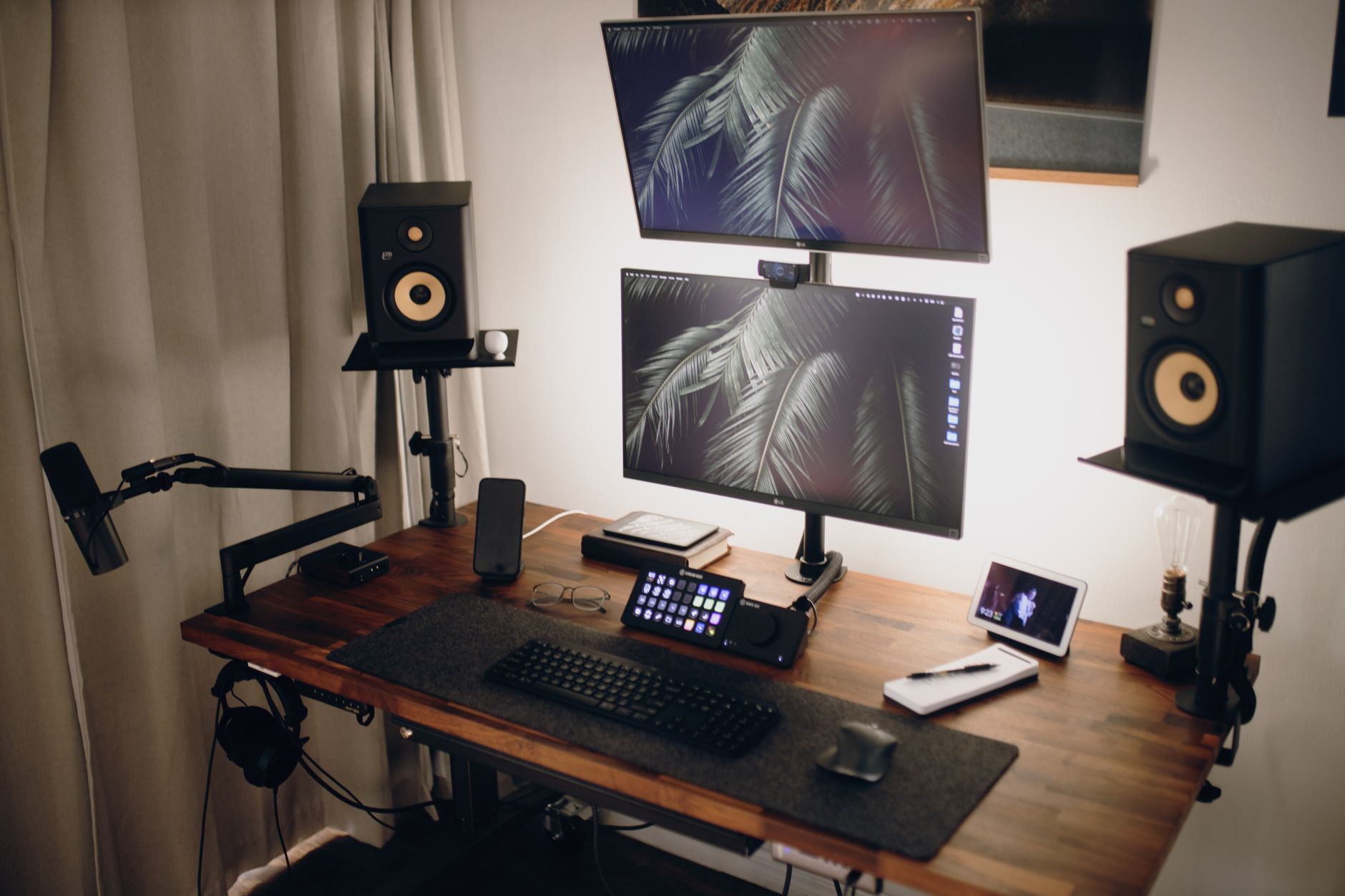
The Uplift V2 is an office standing desk that gamers adopt for one reason: it does not wobble under load. The commercial-grade frame holds 355 pounds and has an optional crossbar extension for even more stability. Height range runs from 25.5 to 51.1 inches, making it one of the tallest desks in this guide. That top end helps tall players who stand at 6'3" or more. You can order desktop sizes from 42 by 24 up to 80 by 30 inches in laminate, bamboo, or solid wood. Check the Uplift V2 Standing Desk for desktop configurations.
Ergonomically, the V2 shines during long sessions because you can switch positions every hour. The Mayo Clinic notes that alternating between sitting and standing reduces static muscle loading and may ease lower back discomfort. That advice fits the desk’s programmable height presets. For proper standing posture, use our how to set up a standing desk correctly guide before you lock in presets.
Customization is a double-edged sword. You get a huge number of accessories, keypads, and top materials. But the configurator can feel overwhelming, and shipping times stretch beyond Amazon Prime norms for custom tops. The desk is also functionally an office product. It lacks the RGB and gamer styling of Arozzi or Secretlab. If you prefer a neutral aesthetic, that is a plus. If you want a painted steel gaming look, look elsewhere.
Price ranges from about $650 for a basic 48-by-30 laminate top to over $1,200 for solid wood. The 15-year warranty covers the frame and motor. The desk’s maximum width of 80 inches suits ultrawide monitors and streaming setups. Just measure your room first. An 80-inch desk in a 9-by-9 room leaves little space for a chair and cable access.
Key strengths:
- ✅ 355 lb capacity with optional stability crossbar
- ✅ Height range up to 51.1 inches fits very tall gamers
- ✅ 15-year warranty and proven office-grade motors
- ✅ Desktop widths up to 80 inches support ultrawide setups
- ❌ Custom orders can take weeks to ship
- ❌ Office aesthetic may not match gaming room décor
- ❌ Prices climb above $1,200 for wood tops
Who it’s for: Tall or heavy-setup gamers who need a tall, stable standing desk.
4. Arozzi Arena Gaming Desk , Extra-wide fixed gaming surface
The Arozzi Arena is a fixed-height desk for gamers who do not need sit-stand and want maximum mouse space. The full-surface mouse pad covers the entire 63-by-32.5-inch top. That eliminates the seam between pad and desk, so your mouse never hits an edge during wide flicks. The desk height adjusts from 29 to 32 inches manually, but only during initial assembly. It is not a quick change between sitting and standing.
Why include a fixed desk in 2026? Because some players never stand while gaming. If you are seated with a properly adjusted chair and footrest, a fixed 29.5-inch height can be neutral for average-height users. The Arozzi’s depth is 32.5 inches, which gives enough distance for a 32-inch monitor without pushing the keyboard to the front edge. Cable cutouts are built into the rear corners. The steel frame is stable, and the top resists minor spills.
Cons are significant for ergonomics. The manual height range from 29 to 32 inches does not help users under 5'5" or over 6'2". There is no memory preset. The desk weighs about 85 pounds, so moving it is not easy. The full-surface pad can trap dust and skin oil, and it is not machine washable. A separate desk mat over the top may be easier to clean than the attached cover.
Price sits around $400 to $500 depending on color. Warranty is two years, which is short for furniture. If you want a massive fixed surface and do not mind buying a separate monitor arm, the Arozzi is fine. But for $150 more, the FlexiSpot E7 Pro gives you motorized height range. That makes the Arozzi a niche pick for players who are certain they will never stand.
Key strengths:
- ✅ 63 by 32.5 inch top with full-surface mouse pad
- ✅ Stable steel frame with rear cable cutouts
- ✅ Simple assembly and multiple color options
- ✅ No motor means no electrical failure risk
- ❌ Limited 29 to 32 inch height range
- ❌ Short 2-year warranty
- ❌ Full-surface pad traps dust and is not washable
Who it’s for: Average-height seated gamers who want a huge fixed mouse surface.
5. Homall Gaming Desk , Budget fixed desk for basic setups
The Homall Gaming Desk is the cheapest option in this guide, often priced between $120 and $180. It has a fixed 29.5-inch height and a 55-by-23.6-inch desktop. That is enough for a single 24-inch monitor, a keyboard, and a mouse pad. The steel frame and MDF top weigh about 44 pounds, so one person can move it without help.
This desk is not an ergonomic hero. The fixed height means short and tall users will make compromises. A monitor stand or arm can help, but the shallow 23.6-inch depth pushes a 27-inch monitor too close to your face. The edge is square, not rounded, so forearm pressure can build up during long sessions if you rest your wrists on the front. Use a wrist rest or lower your chair accordingly.
Build quality is acceptable for the price. The frame has a crossbar for stability, and the top resists scratches better than raw MDF. But do not load it with more than 220 pounds. The included cup holder and headphone hook are useful. Cable management is nonexistent, so buy zip ties.
Who should buy this? A student, a casual player, or someone furnishing a temporary rental. It is better than a folding table because the corners are stable. But if you have recurring upper back or neck pain, spending more on a height-adjustable desk is a smarter long-term move.
Key strengths:
- ✅ Low price between $120 and $180
- ✅ Lightweight 44-pound frame is easy to move
- ✅ Basic cup holder and headphone hook included
- ✅ Stable enough for a single monitor setup
- ❌ Fixed 29.5-inch height fits only average users
- ❌ Shallow 23.6-inch depth cramps large monitors
- ❌ No cable management and square front edge
Who it’s for: Budget buyers who need a basic fixed desk and do not have posture issues.
Frequently Asked Questions
What height should a gaming desk be?
Your desk should let your elbows rest at a 90-degree angle with your forearms parallel to the floor. For most people, that means a seated surface between 25 and 30 inches, depending on your chair and body height. A height-adjustable desk lets you fine-tune that angle.
Are standing gaming desks worth the extra cost?
If you sit for long sessions, a sit-stand desk can reduce static muscle loading and let you change posture. The Mayo Clinic supports alternating between sitting and standing to ease lower back discomfort. You may not stand while gaming, but the option to adjust height is still valuable for proper alignment.
How deep should a gaming desk be for a monitor?
Look for at least 25 inches of depth. That lets you place a 27-inch monitor at arm’s length without pushing the keyboard to the edge. If you use a 32-inch or ultrawide monitor, 30 inches of depth works better.
Can I mount a monitor arm on any gaming desk?
Most desks work with clamped monitor arms if the top is at least 0.75 inches thick and the frame does not interfere. Check the desk’s weight capacity and the desk material before mounting. A monitor arm frees up desk space and helps keep your screen at eye level.
What is a good weight capacity for a gaming desk?
Aim for at least 250 pounds if you plan to use dual monitors, a PC tower, and speakers. Standing desk frames with 355-pound capacities offer extra stability for heavy setups. Fixed budget desks often hold between 150 and 220 pounds.
Do I need cable management on a gaming desk?
Cable management is not just cosmetic. Loose cables underfoot cause you to shift your feet and strain your legs. Built-in trays, rear cutouts, or adhesive clips keep cords off the floor and reduce a common tripping hazard.
What Should You Remember?
- Height range first: Match the desk height to your seated elbow angle before buying.
- Depth matters: Choose at least 25 inches of depth so monitors stay at a safe distance.
- Sit-stand beats fixed: A motorized desk reduces static sitting and enables posture changes.
- Cable management: Integrated trays prevent foot strain and dangerous cord tangles.
- Weight capacity: Pick a desk rated for at least 250 pounds for dual monitors and a tower.
- Warranty: Longer warranties on motors, like FlexiSpot’s 15-year frame, signal better reliability.
This article is for general information only and is not medical advice. Ergonomic guidance varies by body type and underlying conditions. Consult a physician or physical therapist for persistent pain before changing your workstation.