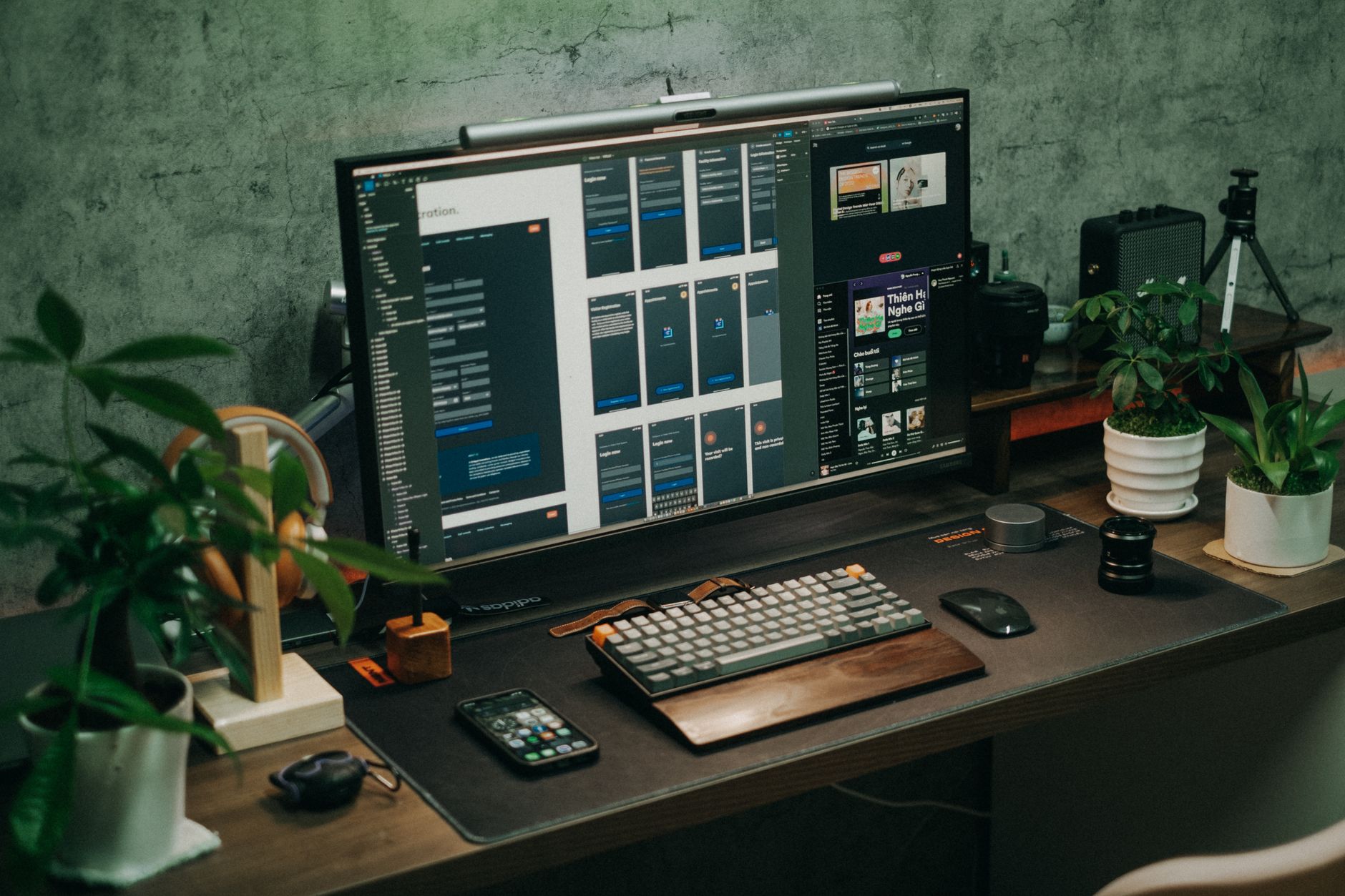
A monitor arm is one of the few desk upgrades that changes how you feel after an eight-hour stretch. Most stock monitor stands are fixed, low, and demand that you hunch to see the screen. A gas-spring arm fixes that by letting you raise, lower, tilt, and pivot the display without tools. The Occupational Safety and Health Administration identifies awkward, static postures as key risk factors for neck and shoulder strain. A properly adjusted monitor keeps the top of the screen at or slightly below eye level. Before you choose a model, review our how to set up an ergonomic workstation guide so you know what to do with the arm once it arrives.
Why gas spring? The details matter. A gas spring monitor arm uses a pneumatic cylinder to counterbalance the monitor’s weight. That lets you move the screen with one hand and have it stay where you leave it. The Cornell University Ergonomics Web recommends placing a monitor at roughly arm’s length and avoiding neck extension or rotation for long stretches. A gas spring makes those adjustments easy. But not all arms are stable. Cheap springs can drift, sag, or bounce. Our testing for 2026 considered adjustability range, stability, build quality, and price. We also cross-checked common installation limits against desk thickness and grommet hole sizes.
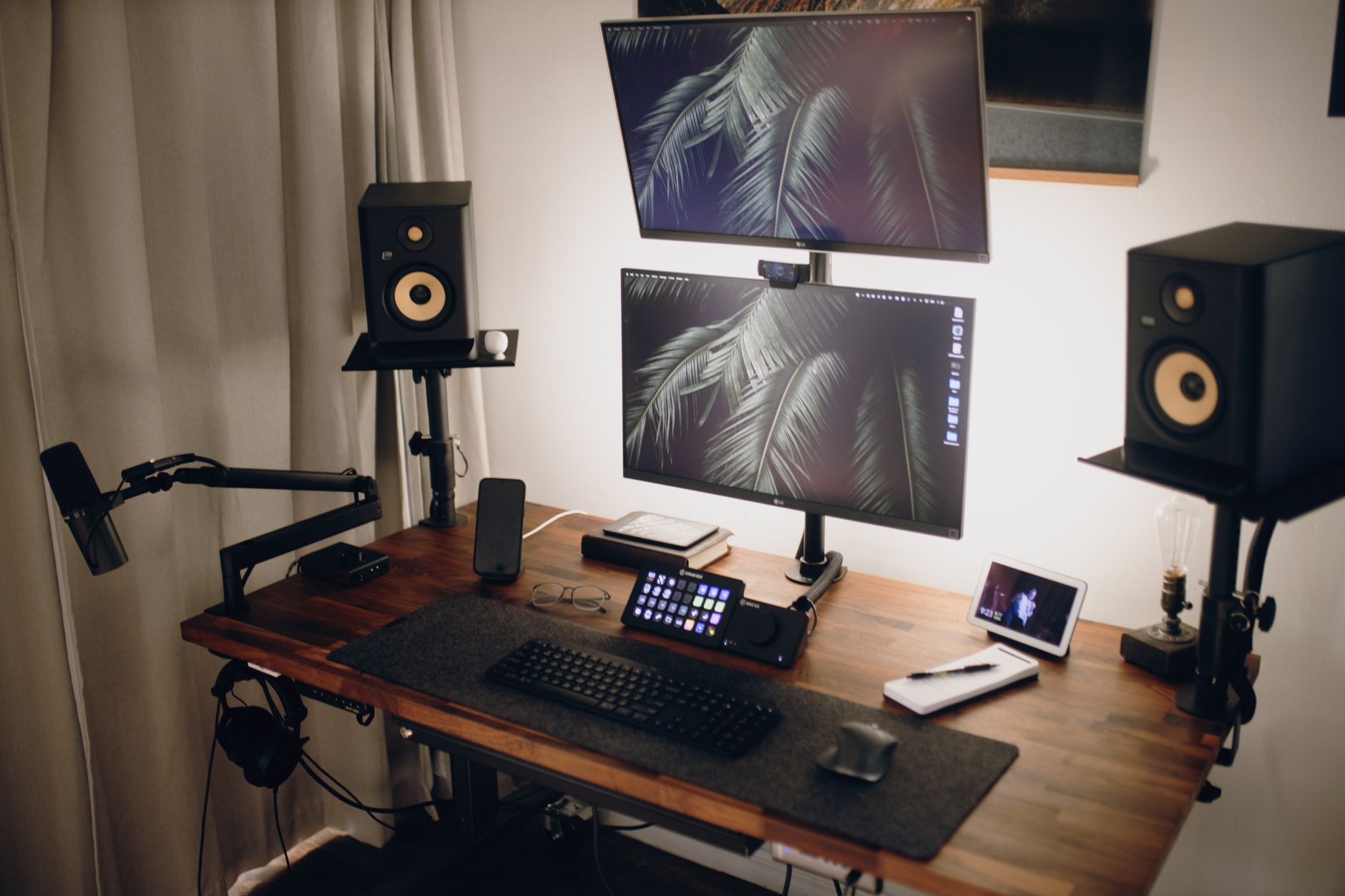
We compared single, dual, and ultrawide gas-spring monitor arms. Single arms suit most users. Dual arms free up even more space and align two screens for reference tasks. Ultrawide arms handle heavy 34-inch to 49-inch panels that cheap arms cannot. If you are setting up two displays, our best ergonomic setup for dual monitors guide covers angles and neck rotation. Some arms look strong in photos but start shaking when you type. We prioritized arms that stay put on a solid desk, even with a 12.9 kg display.
Price is not a clean indicator of quality in 2026. You can spend under $100 and get solid single-arm performance. You can also spend $400 and get a dedicated ultrawide platform. The right pick depends on your monitor weight, desk style, and how often you adjust. If you currently work from a laptop riser or sit-stand converter, check our best standing desk converter 2026 sit stand on a budget article before committing to a fixed desk setup. The monitor arm is one part of a larger ergonomic chain. We name prices from current retailer listings and note warranty length where it matters.
How Do the Top Options Compare?
| Monitor Arm | Best For | Screen Size / Weight | Height Range | Warranty | Price |
|---|---|---|---|---|---|
| Ergotron LX Single Monitor Arm | Best single gas-spring arm | 13, 34 in / 7, 25 lb | 13 in lift | 10-year | Check price |
| Amazon Basics Single Monitor Arm | Budget single arm | 13, 32 in / 5, 25 lb | 10.5 in lift | 1-year | Check price |
| Huanuo Dual Monitor Arm Gas Spring | Best dual arm value | 13, 34 in / 4.4, 19.8 lb each | 14.2 in pole | 3-year | Check price |
| VIVO Dual Gas Spring Monitor Arm | Best tall-pole dual | 13, 32 in / 4.4, 19.8 lb each | 15.7 in pole | 3-year | Check price |
| Ergotron HX Ultrawide Monitor Arm | Best heavy ultrawide | 20, 42 lb / up to 49 in | 12.7 in lift | 10-year | Check price |
Prices are current as of writing and may fluctuate. Check monitor VESA patterns before ordering. Heavy ultrawide panels often need an extra heavy-duty pivot hinge.
1. Ergotron LX Single Monitor Arm , Best overall single gas-spring arm

The Ergotron LX is the reference arm for a reason. It has a polished aluminum finish, a 13-inch lift range, and an 11-inch extension range. It handles monitors from 7 to 25 pounds and screens up to 34 inches when VESA-compatible. The base clamps to desk surfaces up to 2.4 inches thick, and a grommet mount is included. Movement is smooth, and the arm holds position without drifting. In 2026 it remains the high-water mark for single monitor adjustability. Check the Ergotron LX on Amazon.
That said, the LX is not cheap. Prices often land between $139 and $179 depending on the finish. The clamp is sturdy but the polished metal base takes up a bit more visual space than white or matte black arms. Some users with thin, hollow-core desks report vibration when typing. On a solid wood or steel desk, this is rarely an issue. The 10-year warranty is best in class and Ergotron support actually replaces parts. For neck and back pain prevention, pairing this arm with a chair from our best ergonomic chairs 2026 guide makes sense.
The LX excels in long-term durability. Tilt is -5 to +75 degrees, pan is 360 degrees, and rotation is 90 degrees for portrait mode. No tool is needed for daily adjustments after initial tension set. If you need a second monitor later, you can buy an LX dual stacking kit. But the single is best for a one-display workstation.
Key strengths:
- ✅ 13-inch lift range and 11-inch reach let you position the screen high and close
- ✅ Supports 7 to 25 pounds and most 34-inch panels with 75mm or 100mm VESA
- ✅ 10-year warranty with dependable replacement parts
- ✅ Smooth gas spring movement that holds position without sag
- ✅ Includes desk clamp and grommet mount for thicker surfaces
- ❌ Price is higher than budget arms, usually $139 to $179
- ❌ Polished metal finish may not blend with dark or minimalist desks
- ❌ Can transmit vibration on thin, hollow-core desk tops
Who it’s for: Choose the Ergotron LX if you want one proven single monitor arm that will outlast several monitor upgrades.
2. Amazon Basics Single Monitor Arm , Budget single monitor arm
Amazon Basics sells a gas-spring single arm that undercuts the Ergotron LX by half or more. It carries monitors from 5 to 25 pounds, fits 13 to 32 inches, and has a 10.5-inch height lift. The arm clamps to desks up to 2.2 inches thick. For a home office where you adjust once and leave it, the price is compelling. Check the Amazon Basics Single Monitor Arm on Amazon.
Build quality is acceptable but not premium. The plastic cable covers feel flimsy, and the base clamp is not as refined as Ergotron’s. The gas spring holds well for smaller monitors between 8 and 20 pounds. Near the 25-pound limit, you may have to tighten the tension screw almost fully. On a proper desk, stability is decent for typing. On a wobbly desk, the arm amplifies movement. If your budget is extremely tight, pair this arm with an affordable chair from our best ergonomic chairs under 500 roundup to keep your posture in check.
Warranty matters. Amazon Basics includes a one-year warranty, which is short for a mechanical arm. That does not mean it will fail in a year, but it is a signal about long-term build confidence. The VESA quick-release plate makes installation simple, and the included Velcro wraps keep cables mostly tidy. The 10.5-inch lift range is lower than the Ergotron LX, so very tall users may need a desk with extra height or a lower monitor.
Key strengths:
- ✅ Low price, often under $90
- ✅ Supports 5 to 25 pounds and screens up to 32 inches
- ✅ Quick-release VESA plate speeds installation
- ✅ Smooth one-hand movement for lightweight monitors
- ✅ Includes desk clamp and grommet mount
- ❌ One-year warranty only
- ❌ Height lift is 10.5 inches, shorter than premium arms
- ❌ Cable covers and clamp feel less durable
Who it’s for: Choose the Amazon Basics single arm if you want a solid budget gas-spring arm and do not need premium finish or longer warranty.
3. Huanuo Dual Monitor Arm Gas Spring , Best value dual monitor arm
The Huanuo dual gas-spring arm is a favorite for desk setups with two 13 to 34 inch monitors. Each arm supports 4.4 to 19.8 pounds, which covers most 24-inch and 27-inch office panels. The pole stands 14.2 inches tall and the arm offers 360-degree rotation plus tilt from -30 to +85 degrees. You can place two screens side by side or one above the other. The clamp fits desks up to 3.35 inches thick, unusually generous for this price. Check the Huanuo Dual Monitor Arm Gas Spring on Amazon.
Real-world stability is good on solid desks. Each arm includes a built-in cable channel that hides wires along the pole. The gas spring tension is adjustable with a hex key. Before mounting, confirm both monitors have 75mm or 100mm VESA holes. The arm extends about 21 inches and the arms can be angled inward to reduce neck rotation. If you use two screens daily, read our best desk mats 2026 guide for chair glide and floor protection under a dual-monitor station.
One limitation: the Huanuo pole is not as rigid as a $300 dual arm. With two 27-inch monitors at full extension, you may see a slight bounce while typing. Tightening the clamp and using a solid wood desk helps. The three-year warranty covers mechanical parts but not cosmetic wear. For most people who want a clean dual-monitor setup without spending Ergotron money, this is the value pick.
Key strengths:
- ✅ Holds two monitors up to 19.8 pounds each
- ✅ 14.2-inch pole height and generous 3.35-inch clamp range
- ✅ Built-in cable channels reduce desk clutter
- ✅ Tilt, swivel, and rotation on both arms
- ✅ Three-year warranty for mechanical parts
- ❌ Slight bounce possible with heavy monitors at full extension
- ❌ Hex key tension adjustment less convenient than knob-based arms
- ❌ Pole finish can show scratches over time
Who it’s for: Choose the Huanuo dual arm if you have two 24 to 27 inch monitors and want a clean, budget-friendly ergonomic setup.
4. VIVO Dual Gas Spring Monitor Arm , Best tall-pole dual monitor arm for standing desks
VIVO’s dual gas-spring arm uses a taller pole and a different mounting geometry than the Huanuo. It supports two screens from 13 to 32 inches with a weight range of 4.4 to 19.8 pounds per arm. The height-adjustable pole reaches up to 15.7 inches, which helps taller users who work from a standing desk or a tall desk riser. The clamp fits desks up to 3.3 inches thick. A removable USB cable clip tidies the center column.
In use, the VIVO arm is stable if you balance the monitors. It uses standard VESA 75mm and 100mm plates, and each arm tilts -15 to +85 degrees with 360-degree swivel. You need a hex tool to set tension. Unlike some budget arms, the VIVO offers about 25.6 inches of full extension, so you can bring a monitor forward when switching from a seated to a standing position. If you swap between sitting and standing, choose a desk with a thick top that can support this arm’s clamp.
The weak point is clamping pressure on very hard surfaces. The C-clamp works best when you use the included pads. Over-tightening can dent softer wood or laminate. The black powder-coated finish is durable, but the plastic joint covers may crack if you constantly adjust at the extreme ends. The three-year warranty is fair for a dual arm in this price class. For dual monitor users who need extra pole height, VIVO is the better fit than the shorter Huanuo.
Key strengths:
- ✅ Pole height extends to 15.7 inches for taller users and standing desks
- ✅ Full extension around 25.6 inches brings screens forward
- ✅ Fits desk thickness up to 3.3 inches
- ✅ Smooth gas spring motion per arm
- ✅ Less expensive than Ergotron dual options
- ❌ Plastic joint covers can crack with constant extreme adjustment
- ❌ Requires hex key for tension changes
- ❌ Clamp can dent soft desk surfaces if overtightened
Who it’s for: Choose the VIVO dual arm if you are tall, use a standing desk, or need more pole height than the Huanuo offers.
5. Ergotron HX Ultrawide Monitor Arm , Best heavy ultrawide and 49-inch super-ultrawide displays
The Ergotron HX is built for monitors that would bottom out a standard gas spring. It supports screens from 20 to 42 pounds and up to 49 inches. The HX provides 12.7 inches of lift, 8.2 inches of extension, and a tilt range of -5 to +70 degrees. It comes with a heavy-duty clamp and grommet mount for desk thickness up to 2.6 inches. For Samsung Odyssey G9 and similar 49-inch panels, Ergotron sells a specific heavy-duty pivot hinge. The main arm itself is not enough for the G9’s aggressive curve.
Stability is exceptional once the tension is set for the monitor weight. The HX uses a reinforced gas spring and all-metal construction. There is minimal bounce even on a powered standing desk. The 10-year warranty matches the LX and includes an easy parts request process. The arm is expensive, usually $300 to $400 depending on the heavy-duty hinge. But if you run a 38-inch or 49-inch monitor, cheaper arms sag or fail. The HX holds the monitor in position without creeping.
Installation requires attention. The HX is heavier than a basic arm, about 8 pounds before the monitor. You may need a second person to lift a 42-pound panel onto the VESA plate. The included cable covers are functional but wide, and they snap over the thick arm. If you use a curved ultrawide, check the monitor’s weight and center of gravity before ordering. For long coding or video editing sessions, pair the HX with a proper chair and an eye strain computer screen relief guide to reduce neck and eye fatigue.
Key strengths:
- ✅ Supports 20 to 42 pounds and screens up to 49 inches
- ✅ Reinforced gas spring prevents sag and drift
- ✅ 10-year warranty with easy parts replacement
- ✅ Minimal bounce even on powered standing desks
- ✅ Includes heavy-duty clamp and grommet mount
- ❌ Expensive at $300 to $400 depending on hinge
- ❌ Heavy and often needs two people for install
- ❌ Requires a separate pivot hinge for some 49-inch curved panels
Who it’s for: Choose the Ergotron HX if you use a 38-inch or 49-inch ultrawide monitor that standard arms cannot support.
Frequently Asked Questions
What size monitor do I need for a gas spring monitor arm?
Most gas-spring arms fit 75mm and 100mm VESA patterns. Single arms typically support 13 to 34 inch monitors, dual arms up to 32 inch per screen, and ultrawide arms up to 49 inch. Always check the weight and VESA pattern first.
Are dual monitor arms better than two single arms?
Dual arms save desk space and cost less than two premium singles. But two single arms let you position screens independently and often reduce wobble. If you need maximum adjustability for different positions, two singles may work better.
Can gas spring monitor arms hold ultrawide monitors?
Only heavy-duty arms like the Ergotron HX are rated for ultrawide panels. Standard arms have a weight capacity around 17 to 19 pounds per arm, while ultrawide monitors often weigh over 20 pounds. Check the monitor’s exact weight and center of gravity.
How do I install a monitor arm on a thick desk?
Measure your desk thickness before ordering. Most arms support up to 2.4 inches, but some like the Huanuo support up to 3.35 inches. If your desk has a grommet hole, use the grommet mount for more stability.
Will a monitor arm reduce neck and back pain?
Yes, when installed and adjusted correctly. It lets you raise the screen to eye level and avoid neck extension or rotation. The Cornell University Ergonomics Web and OSHA both recommend positioning the monitor to reduce static neck strain.
How long do gas spring monitor arms last?
A quality gas spring arm lasts 5 to 10 years or more. The gas cylinder can lose pressure over time, which may cause sag. Premium arms like Ergotron offer a 10-year warranty, while budget arms often have 1 to 3 years.
What Should You Remember?
- Adjustability: Look for at least a 10-inch lift range and tool-free tilt, swivel, and rotation.
- Stability: A solid wood or steel desk is just as important as the arm’s gas spring.
- Single users: The Ergotron LX offers the best blend of reach, lift, and warranty.
- Dual monitors: Huanuo and VIVO both perform well, but VIVO suits taller standing desks.
- Ultrawide: Do not put a 49-inch display on a standard budget arm; use the Ergotron HX.
- Desk thickness: Check clamp capacity before buying, especially for thick standing desk tops.
This article is for general information only and is not medical advice. Ergonomic guidance varies by body type and underlying conditions. Consult a physician or physical therapist for persistent pain before changing your workstation.