Autonomous desks have become a default answer for home office upgrades. The brand splits its lineup into Core, Pro, Corner, and Connect models, each with different height ranges, lift capacities, and desktop sizes. You do not need to guess which one fits your body and gear. The wrong desk height range leaves tall users stooping and short users reaching. Both situations create upper back and neck strain. OSHA recommends workstations that fit the worker, not the other way around. I tested the major Autonomous sit-stand desks and compared specs that actually matter: adjustability, motor strength, stability, warranty, and price. This comparison skips marketing fluff and focuses on measurable performance.
Height adjustability is the first thing to check. Cornell’s Ergonomics Web notes that fixed desk heights force many people into awkward elbow and wrist angles. A standing desk should drop low enough for your elbows at 90 degrees while seated and rise high enough for neutral wrists while standing. Autonomous models range from 26 to 52.4 inches depending on the frame. That is a meaningful difference. If you are under 5'4" or over 6'1", the SmartDesk Pro and Connect are safer picks than the Core. We review those ranges below and explain why they matter. See our best standing desks 2026 guide for non-Autonomous alternatives.
We also measured lift capacity because real desks carry more than a laptop. Monitor arms, dual screens, a full desktop tower, and occasionally a leaning elbow all add load. A 270 lb capacity desk handles most setups. A 400 lb corner desk handles heavy mechanical keyboards, dual monitors, and large peripherals without sag. But capacity is only one part. Motor noise, anti-collision sensors, and frame stability at standing height matter just as much. Before buying, check your how to set up an ergonomic workstation plan. Desk height and chair height must work together. Your feet need flat support, and your screen should sit at eye level.
One mistake buyers make is choosing a desk with a great motor and the wrong desktop size. A 43-inch top may look fine until you add two monitors and a keyboard tray. A 70.5-inch top solves that but eats floor space. We included top dimensions in the table so you can measure before ordering. Also use our how to set up a standing desk correctly guide to avoid common posture mistakes once the desk arrives. These are not luxury purchases. A desk with the right height range, lift capacity, and surface size will serve you for years. The next sections break down five Autonomous models.
How Do the Top Options Compare?
| Model | Best For | Height Range | Lift Capacity | Warranty | Price |
|---|---|---|---|---|---|
| Autonomous SmartDesk Core | Budget dual-motor desk | 28.3 - 46.5 in | 270 lb | 5 yr frame / 1 yr top | Check price |
| Autonomous SmartDesk Pro | Most adjustable | 26.0 - 52.4 in | 310 lb | 5 yr frame / 1 yr top | Check price |
| Autonomous SmartDesk Corner | L-shaped setups | 28.6 - 48.0 in | 400 lb | 5 yr frame / 1 yr top | Check price |
| Autonomous SmartDesk Connect | App reminders | 26.0 - 52.4 in | 310 lb | 5 yr frame / 1 yr top | Check price |
| Autonomous SmartDesk Pro XL | Extra-wide surface | 26.0 - 52.4 in | 310 lb | 5 yr frame / 1 yr top | Check price |
Height ranges are manufacturer-reported for the full desk with standard desktop. Lift capacity includes desktop weight. Prices are approximate base model prices; desktop size and material affect final cost.
1. Autonomous SmartDesk Core , Budget dual-motor standing desk
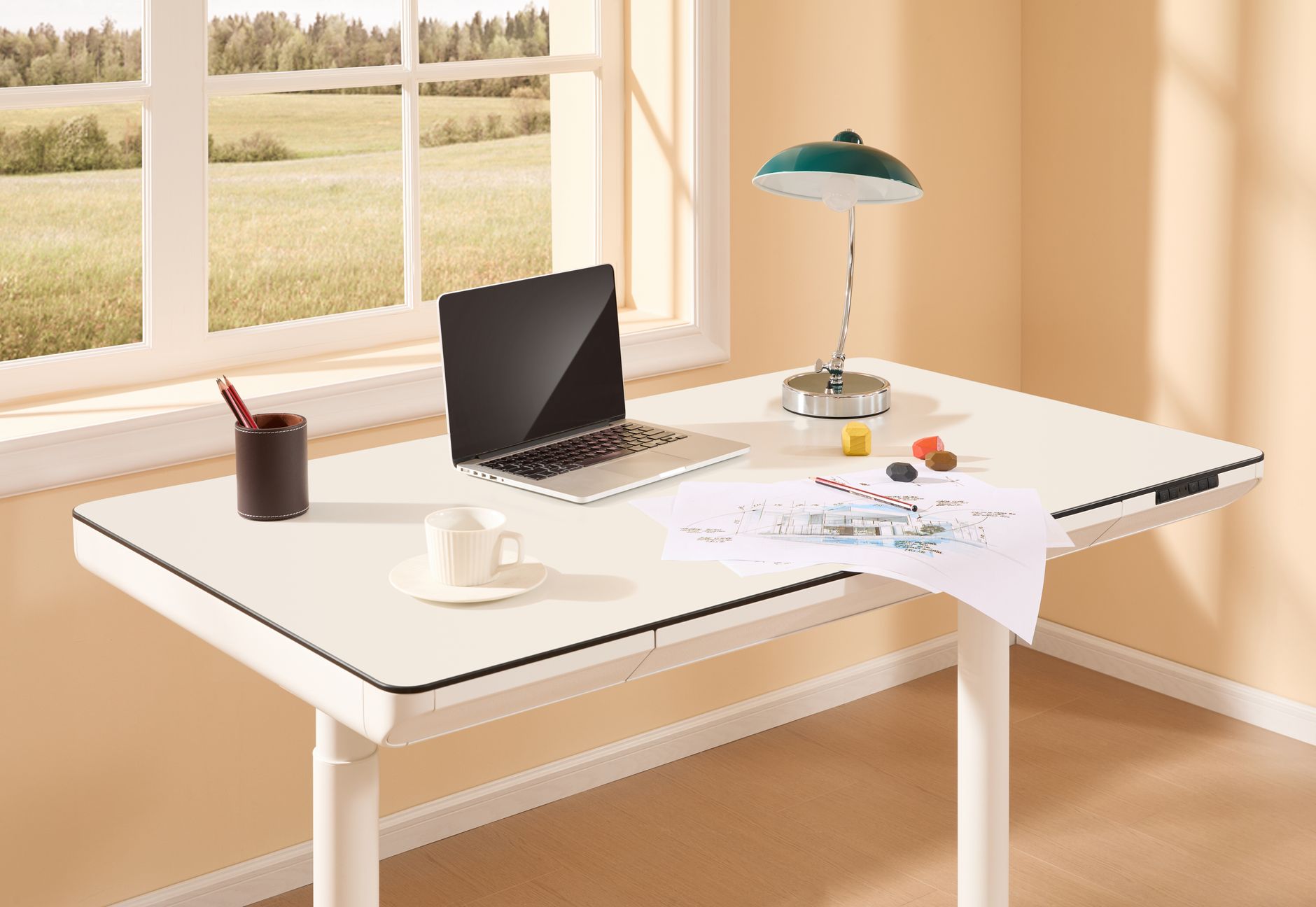
The Autonomous SmartDesk Core is Autonomous’s entry-level electric desk. It uses two motors and lifts 270 lb. That capacity handles a compact desktop, two monitors, and a keyboard without strain. The base frame sells for about $399 with a 53 x 29 inch top. Height adjustment runs from 28.3 to 46.5 inches. That range fits users roughly 5'3" to 6'0" in seated and standing positions. Short users may find 28.3 inches too tall for perfect elbow angles. Tall users near 6'2" may need the Pro.
Stability at standing height is acceptable for the price. The Core has some side-to-side wobble at max height when you type aggressively. That is common under $450. The dual motors keep movement synchronized better than single-motor budget desks. Noise is rated around 45 dB during transitions. You can hear the desk, but it will not drown out a phone call. The handset stores three height presets. No app, no Bluetooth, no extra cost. That simplicity is a plus for people who hate software. Check our best standing desk converter guide if you want a cheaper way to test sit-stand before committing to a full desk.
The frame warranty runs five years. The desktop warranty is one year. That split is standard across Autonomous desks, but you should know it. The motor housing and legs feel solid enough for daily use over three or four years. If you buy a third-party top, the frame still works with any desktop that matches the screw holes. The Core is not the flashiest desk, but it covers the fundamentals without a $200 premium.
Key strengths:
- ✅ Dual motors stay synced and reduce wobble versus single-motor desks.
- ✅ Low starting price of about $399 with a 53 x 29 inch top.
- ✅ Three programmable height presets simplify daily sit-stand changes.
- ✅ 270 lb lift capacity supports dual monitors and a full desktop setup.
- ✅ Simple keypad with no app or login required.
- ❌ Height range stops at 46.5 inches, which is low for users over 6 feet.
- ❌ Desktop warranty covers only one year, shorter than the frame warranty.
- ❌ Noticeable side-to-side movement at maximum standing height.
Who it’s for: Choose the SmartDesk Core if you want a reliable dual-motor Autonomous desk under $450 and do not need the tallest height range.
2. Autonomous SmartDesk Pro , Most people who need full height range and lifting power
The SmartDesk Pro is the workhorse of the lineup. It lifts 310 lb and adjusts from 26.0 to 52.4 inches. That low minimum helps shorter users get their elbows to 90 degrees without a footrest. The high maximum lets someone 6'4" stand without hunching. Few desks in this price range cover that range. The dual motors are quiet, rated at about 45 dB. You can raise the desk during a meeting without sounding like a garage door opener. It pairs well with a good chair from our best ergonomic chairs 2026 roundup.
The base model with a 53 x 29 inch top costs around $499. Larger desktop sizes push the price higher, but the frame remains the same. The handset has four memory presets. That is enough for sitting, standing, a tall stool, and a second user. The frame stays planted at standing height. There is minor monitor shake if you lean on the desk, but normal typing does not cause a wobble. I would not put a full PC tower plus three monitors on the desktop without checking the weight. 310 lb covers most, but you still need a realistic load total.
The Pro’s five-year frame warranty is solid. The one-year desktop warranty is less generous. If you want an extra wide surface, the Pro XL variant below uses the same frame with a 70.5 inch top. The SmartDesk Pro is the default recommendation because it fits more body types without costing twice as much. Check the Autonomous SmartDesk Pro on Amazon.
Key strengths:
- ✅ Wide 26.0 to 52.4 inch height range fits users from about 5'0" to 6'4".
- ✅ 310 lb lift capacity supports heavy multi-monitor and desktop tower setups.
- ✅ Four memory presets cover multiple users or working postures.
- ✅ Quiet dual motors operate at roughly 45 dB.
- ✅ Five-year frame warranty backs the motor and legs.
- ❌ Costs about $100 more than the Core.
- ❌ Desktop warranty remains only one year.
- ❌ Basic keypad lacks the app and health reminders of the Connect.
Who it’s for: Pick the SmartDesk Pro if you need the best balance of height range, lift capacity, and price.
3. Autonomous SmartDesk Corner , L-shaped and dual-monitor workstations
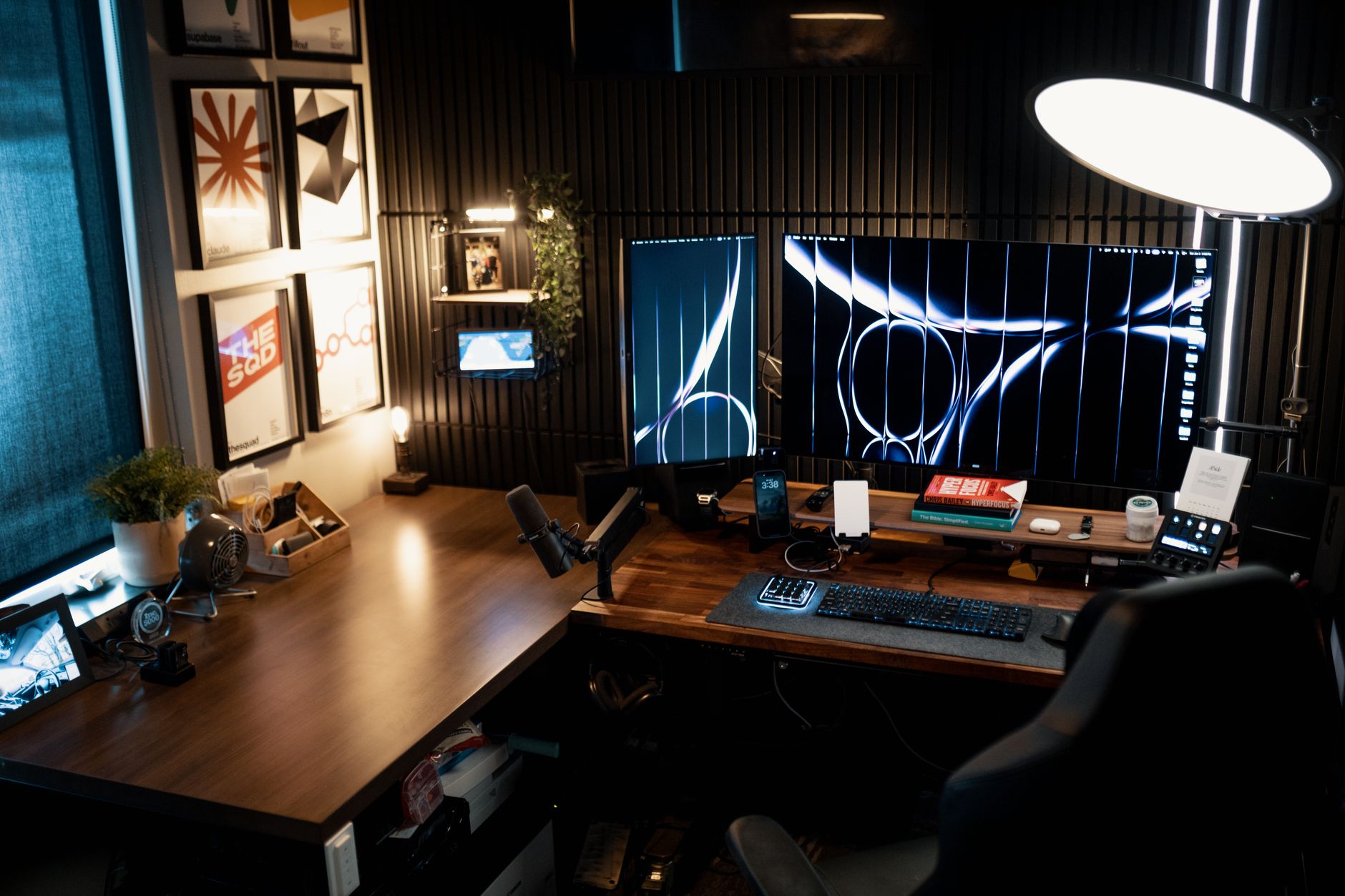
The SmartDesk Corner is for people who need an L-shaped surface. The top measures about 71 inches on one side and 65 inches on the other. That footprint allows two work zones: one for a laptop and one for a monitor setup. The triple motor frame lifts 400 lb. That is the highest capacity in the Autonomous line. You can load a desktop tower, two monitors, a printer, and still have headroom. The height range runs from 28.6 to 48.0 inches. Tall users over 6'2" may find 48 inches slightly low in standing mode.
Assembly is more involved than a rectangular desk. The top comes in multiple pieces and weighs more than 100 lb. You will need another person to flip it safely. Once assembled, the desk is stable. The triple motor system keeps the two surfaces level even with uneven loads. If you run a dual screen setup, use our best ergonomic setup for dual monitors guide to position the panels correctly. The corner design also tucks into tight room corners, but it needs about 6 by 6 feet of clear floor space.
Price starts around $699 for the frame and basic top. That is fair for an L-shaped electric desk with 400 lb lift capacity. The warranty is the same five years for the frame and one year for the top. The handset has four presets and a lock function to prevent accidental changes. If your workspace is wide and you hate clutter, this desk rewards the extra cost. Check the Autonomous SmartDesk Corner on Amazon.
Key strengths:
- ✅ 400 lb lift capacity handles the heaviest desk setups.
- ✅ L-shaped top provides separate zones for paper and screen work.
- ✅ Triple motors help keep both surfaces level.
- ✅ Four presets and a lock function prevent accidental height changes.
- ✅ Stable even with an uneven monitor load on one side.
- ❌ Requires about 6 by 6 feet of floor space, too large for small rooms.
- ❌ Assembly is heavy and often needs two people.
- ❌ Maximum height of 48 inches is limiting for taller users.
Who it’s for: Choose the SmartDesk Corner if you need a large L-shaped workspace with maximum lifting power.
4. Autonomous SmartDesk Connect , App reminders and automatic sit-stand routines
The SmartDesk Connect adds Bluetooth and app controls to the SmartDesk Pro platform. The frame specs are nearly identical: dual motors, 310 lb lift capacity, and a 26.0 to 52.4 inch height range. The difference is software. The Autonomous app tracks how long you sit and stand. It sends reminders to change posture. You can set automated presets that run at specific times. Premium health coaching features require a subscription, but the basic reminders work without paying extra.
The desk itself is quiet. The motors are brushless versions of the Pro’s dual motor system. That reduces long-term wear and keeps noise low. The keypad shows your current height and preset buttons. Without the app, this desk behaves exactly like a SmartDesk Pro. With the app, it becomes a nudging tool. For someone who forgets to stand, those reminders matter. But if you ignore app notifications, you are paying about $100 extra for the same hardware.
Price starts around $599. That is $100 above the Pro. The frame warranty is five years, and the desktop warranty is one year. I would only choose the Connect over the Pro if you know you will use the reminders. The hardware is excellent, but the software value depends on your habits.
Key strengths:
- ✅ Same 310 lb capacity and 26.0 to 52.4 inch range as the Pro.
- ✅ App tracks sitting and standing time and sends posture reminders.
- ✅ Brushless dual motors are quiet and durable.
- ✅ Automated presets can run on a schedule.
- ✅ Five-year frame warranty matches the Pro.
- ❌ Costs around $100 more than the Pro for similar hardware.
- ❌ Premium health features require a subscription.
- ❌ The app adds little value if you already have good sit-stand habits.
Who it’s for: Pick the SmartDesk Connect if you want automated reminders to stand and track your sit-stand ratio.
5. Autonomous SmartDesk Pro XL , Extra-wide desktop surface
The SmartDesk Pro XL is the SmartDesk Pro frame with an extended 70.5 x 30 inch desktop. That surface fits two 27-inch monitors side by side with a full keyboard and mouse. It also works for paperwork, a writing pad, and a phone without feeling cramped. The frame still lifts 310 lb and adjusts from 26.0 to 52.4 inches. You get the same dual motors and four presets as the standard Pro. The difference is width. The wider top creates more leverage, so monitor arms and clamp-style accessories need a solid edge.
Stability is slightly lower than the standard Pro if you mount a heavy monitor arm on the far edge. That is physics, not a frame defect. A 70.5 inch top has more cantilever than a 53 inch top. Use a quality monitor arm with a strong clamp and position heavy monitors near the center. The desk’s frame itself is the same as the Pro, so the legs and motors are unchanged. For most people, the extra surface is more useful than the minor added flex.
Price starts around $599 for the XL top. That is about $100 more than the standard Pro. You gain 17.5 inches of width and a deeper 30 inch surface. The warranty remains five years for the frame and one year for the desktop. If you already have a crowded 53 inch desk, the XL solves the problem. The wider top makes dual monitor setups feel natural.
Key strengths:
- ✅ Extra-wide 70.5 x 30 inch top fits two 27-inch monitors and accessories.
- ✅ Same 310 lb capacity and 26.0 to 52.4 inch height range as the Pro.
- ✅ Four memory presets cover sitting, standing, and second-user heights.
- ✅ Deeper surface improves keyboard and mouse placement.
- ✅ Same five-year frame warranty as the standard Pro.
- ❌ Costs about $100 more than the standard Pro.
- ❌ Wider top creates more leverage, so edge-mounted monitor arms flex more.
- ❌ Needs a larger room footprint than the 53 inch Pro.
Who it’s for: Choose the SmartDesk Pro XL if you need the Pro’s height range but require a much wider desktop surface.
Frequently Asked Questions
Which Autonomous desk is best for tall people?
The SmartDesk Pro and SmartDesk Connect rise to 52.4 inches. That fits most users up to about 6'4". The SmartDesk Corner stops at 48 inches, so taller users may find it low for standing work.
What is the difference between SmartDesk Core and Pro?
The Core lifts 270 lb and adjusts from 28.3 to 46.5 inches. The Pro lifts 310 lb and adjusts from 26.0 to 52.4 inches. The Pro has a wider height range and higher capacity, so it fits more body types and heavier setups.
Does the SmartDesk Connect require a subscription?
Basic sit-stand reminders and height presets work without a subscription. Premium health coaching features may require a paid plan. Check current app pricing before buying.
Are Autonomous desks hard to assemble?
Rectangular models like the Core and Pro are manageable for one person, though flipping the desk is easier with help. The Corner is heavy and often needs two people. All desks include basic tools and instructions.
What warranty does Autonomous offer?
Autonomous typically provides a five-year warranty on the frame and motor. The desktop is usually covered for one year. Confirm the exact terms on your sales receipt because warranty periods can vary.
Can I use my own desktop with an Autonomous frame?
Yes. Most Autonomous frames accept third-party desktops if the screw holes align. Ensure the desktop weight is within the frame’s lift capacity and the dimensions do not overhang too far.
What Should You Remember?
- Height range matters most. SmartDesk Pro and Connect span 26.0 to 52.4 inches, fitting users from 5'0" to 6'4".
- Lift capacity is not just for monitors. Core lifts 270 lb, Pro 310 lb, and Corner 400 lb.
- Core is the budget pick. You give up height range but keep dual motors and presets around $399.
- Corner desk needs floor space. Budget about 6 by 6 feet for the L-shaped top and triple motors.
- Connect is only worth it if you use the app. The hardware nearly matches the Pro for $100 more.
- Desktop warranty is shorter. Frame coverage is five years, but most desktop tops are covered for one year.
This article is for general information only and is not medical advice. Ergonomic guidance varies by body type and underlying conditions. Consult a physician or physical therapist for persistent pain before changing your workstation.