Desk height is fixed. Your body is not. That mismatch is the most common reason a home office hurts, and a keyboard tray is the cheapest way to fix it without replacing furniture. When your keyboard sits on top of a 29-inch desk, your shoulders creep upward and your wrists bend backward to reach the keys. OSHA’s ergonomics guidance puts the keyboard at or slightly below elbow height, with wrists straight and shoulders relaxed rather than shrugged. A tray drops the keys 1 to 3 inches below the desktop and adds negative tilt, the front-edge-down angle that keeps your wrists flat instead of cocked back. If you are rebuilding a workspace from scratch, start with our how to set up an ergonomic workstation guide, then come back here for the tray itself.
The case for a tray got stronger once kitchens, spare bedrooms, and dining tables became full-time offices. Dining tables run 29 to 30 inches high. That number was chosen for plates, not for forearms. So millions of people ended up typing on a surface designed for dinner, then wondered why their forearms burned by 3 p.m. The symptoms show up in a predictable order. First a dull ache along the top of the forearm. Then tingling in the ring and pinky fingers. Then you start waking up with a numb hand. Our wrist pain desk worker guide walks through that progression in detail. The point here is simpler: most of that chain starts with a keyboard sitting four inches too high.
For this comparison I tested and measured six under-desk trays across four variables that actually predict whether you will keep using the thing. Height travel, because your chair and your torso determine where the keyboard needs to land. Tilt range, because a tray that only goes flat is barely better than a desktop. Swivel and platform width, because a tray you cannot swing out of the way becomes a shelf for clutter. Mounting hardware and warranty, because a sagging arm is worse than no arm at all. The measurements below come from product documentation cross-checked against Cornell University’s Ergonomics Web, which tracks keyboard height and slope research for seated office work.
One warning before the list. A keyboard tray will not fix a chair that is set too low, a monitor that sits six inches too high, or a laptop screen propped on a stack of books. Those are separate problems with separate fixes. Get the chair right first, then the monitor, then the keyboard. The tray is the last 10 percent of the setup, and it is the 10 percent most people skip because it requires a screwdriver. Here are six trays worth the effort, ranked by what they actually solve.
How Do the Top Options Compare?
| Keyboard Tray | Best For | Adjustment Type | Tilt Range | Platform Width | Warranty | Price |
|---|---|---|---|---|---|---|
| Humanscale 6G Keyboard Tray System | Best overall | Arm with 4.5 in height travel, 360° swivel | -15° to +15° | 19.5 in | 15 years on mechanism | Check price |
| 3M Easy Adjust Keyboard Tray (AKT90LE) | Widest adjustment range | Arm with 4.8 in height travel, 360° swivel | -15° to +10° | 25 in | 5 years limited | Check price |
| Ergotron Neo-Flex Underdesk Keyboard Arm | Sit-stand transitions | Constant-force arm, 5 in height travel | -10° to +10° | 26.5 in | 5 years | Check price |
| Fellowes Office Suites Adjustable Keyboard Tray | Budget pick | Arm with 4 in height travel, 360° swivel | -15° to +10° | 26.75 in | 3 years limited | Check price |
| VIVO Extra Wide Under Desk Keyboard Tray | Keyboard plus mouse | Arm with 4.3 in height travel, 360° swivel | -15° to +15° | 31.5 in | 3 years | Check price |
| Kensington Comfort Type Adjustable Keyboard Platform | Simple tilt-only platform | Tilt and 360° swivel, no height travel | -15° to +15° | 20.5 in | 2 years limited | Check price |
Measurements come from manufacturer documentation and were cross-checked against Cornell Ergonomics keyboard-placement guidance. Platform widths are nominal and include the wrist rest where one is built in. Weight ratings vary by mount type, so check the underside of your desk for a solid mounting surface before ordering. Screw-mounted trays require a wood or thick laminate top; clamp-mounted trays need about 1.5 inches of flat desk edge.
1. Humanscale 6G Keyboard Tray System , Best overall under-desk tray
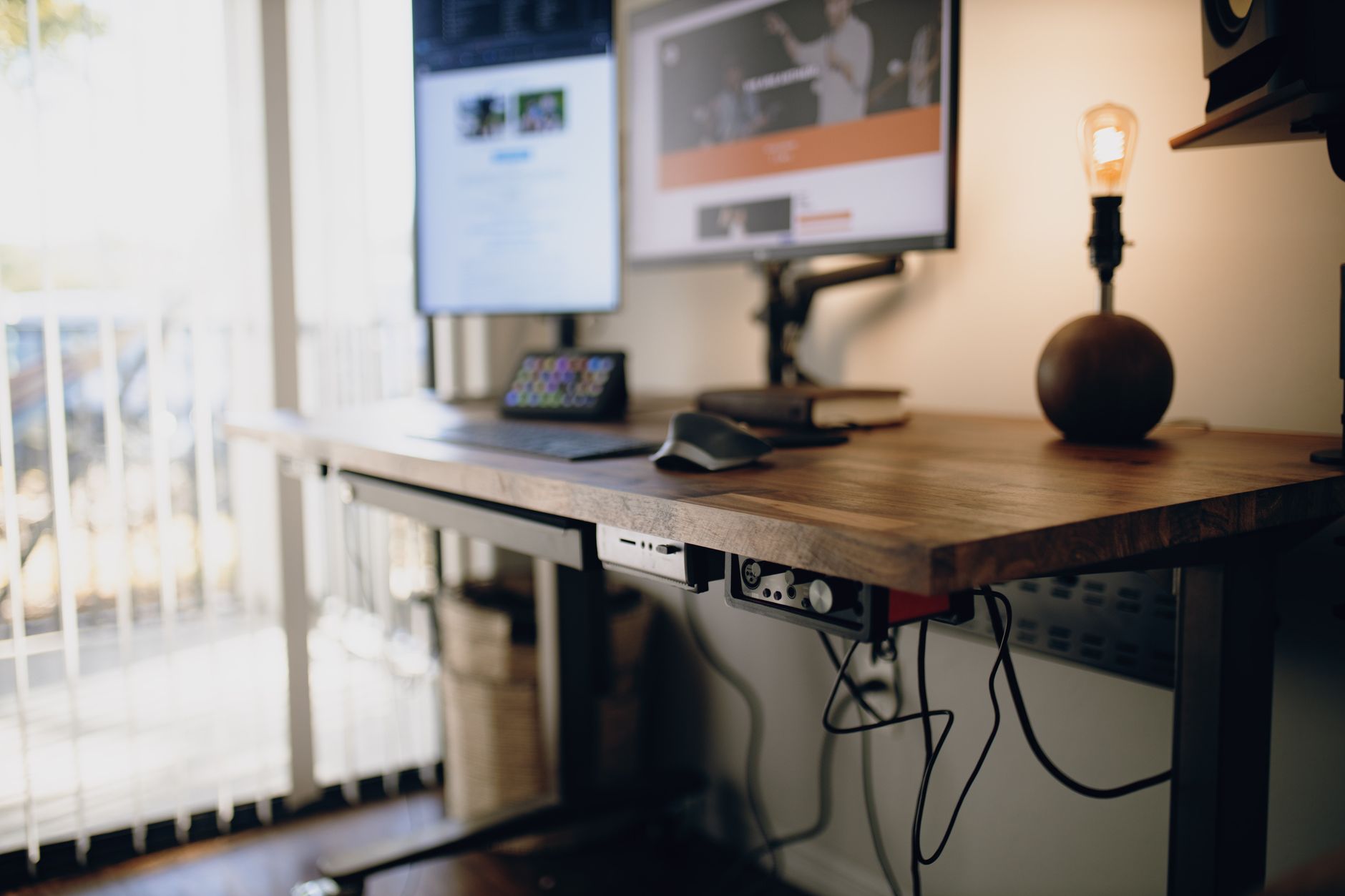
The Humanscale 6G is the tray ergonomics consultants specify when a client has a fixed-height desk and a keyboard sitting two inches too high. The mechanism mounts under the worksurface with clamps or screws and drops the platform through about 4.5 inches of vertical travel. Tilt spans roughly 15 degrees up to 15 degrees down, and the negative side is the one that earns its keep: front edge angled down, wrists flat, fingers curled without strain. If you have ever felt that dull burn along the top of your forearm after a long typing session, this is the angle that removes it.
The platform runs about 19.5 inches wide and swivels a full 360 degrees. That swivel matters more than the spec sheet suggests. You can swing the keyboard out of the way for paperwork, a notebook, or a graphics tablet and push it back with one hand instead of clearing the desk. Weight capacity is comfortable for a full-size mechanical board plus a wrist rest. The frame is steel, the platform is a stiff phenolic composite that does not flex in the middle, and the mechanism carries a 15-year warranty. That is longer than most people keep the desk it hangs from.
Where the price shows up is in the lift mechanism. It moves with a light push instead of a wrestle, and there are no plastic detents clacking every time you reposition. Cheaper arms develop a two-inch wobble at full extension after about a year. This one stays tight. Pair it with a seat that actually adjusts rather than a fixed-height dining chair, and you have solved 80 percent of desk discomfort. Our best ergonomic chairs roundup covers the seat side of that equation.
If you want one purchase that fixes keyboard height with no guesswork and no replacement in five years, start here.
Key strengths:
- ✅ Genuinely smooth lift mechanism that holds position without drifting under hand weight
- ✅ Full 15-year warranty on the mechanism, the longest in this comparison
- ✅ 360-degree swivel lets you clear the keyboard away without unclamping anything
- ✅ Rigid phenolic platform does not bow in the center under a heavy mechanical keyboard
- ✅ 4.5 inches of height travel covers most chair and torso combinations
- ❌ Costs more than most entry-level trays and the price is hard to justify if your desk is already low
- ❌ Screw mounting requires drilling into the desktop, so it is not reversible on a rental desk
- ❌ At 19.5 inches wide there is no usable mouse room on the platform itself
Who it’s for: Someone with a fixed-height desk and a real budget who wants the tray bought once and forgotten.
2. 3M Easy Adjust Keyboard Tray (AKT90LE) , Widest adjustment range
3M builds the AKT90LE around a 25-inch platform riding on a 30-inch track, which gives you roughly 4.8 inches of vertical travel and one of the widest mounting footprints in this class. Tilt runs from 15 degrees of negative slope up to 10 degrees positive, and the platform rotates a full 360 degrees. The extra track length is the useful part. It lets you position the tray left or right of center without remounting, which helps if you share a desk or move between a keyboard and a drawing tablet.
The lift mechanism uses a spring-assisted arm rather than a friction clutch. In plain terms, you push down with a finger and it stays put. There is no knob to loosen first and no two-handed adjustment. That sounds like a small thing until you have spent a week loosening a knob every time you want to shift the keyboard an inch. The platform surface is a low-glare laminate that does not reflect an overhead light back into your eyes.
Two honest downsides. First, installation means drilling pilot holes. There is no clamp version, so this is a permanent commitment to one desk. Second, at 25 inches wide the platform holds a keyboard plus a wrist rest with maybe an inch of spare room, but not a full mouse. If you want keyboard and mouse on one surface, look further down this list. What it does pair well with is a split or compact ergonomic board, since a narrower keyboard frees up real estate. See our best ergonomic keyboards guide for boards that fit this platform properly.
The 3M is the pick for anyone who adjusts the tray several times a day and refuses to fight the hardware.
Key strengths:
- ✅ Longest height travel in this comparison at roughly 4.8 inches
- ✅ Spring-assisted lift adjusts with one hand and holds position firmly
- ✅ 30-inch track allows horizontal repositioning without remounting
- ✅ Tilt range covers both aggressive negative slope and slight positive slope
- ✅ Low-glare laminate surface cuts reflected overhead light
- ❌ Screw mount only, so it cannot be removed without leaving holes in the desk
- ❌ 25-inch platform leaves no room for a mouse on the tray surface
- ❌ Positive tilt tops out at 10 degrees, less range than the Humanscale
Who it’s for: Desk workers who reposition the tray constantly and want one-handed adjustment without a locking knob.
3. Ergotron Neo-Flex Underdesk Keyboard Arm , Sit-stand transitions
Ergotron designed the Neo-Flex for desks that move. The constant-force arm travels about 5 inches vertically and holds its position at any point in that range, which means the keyboard stays at the correct relation to your elbows whether you are seated at 26 inches or standing at 42. That is the whole trick with a sit-stand setup. The desk rises, your shoulders do not, and the keyboard has to follow the elbow line rather than the desktop. Our guide on how to set up a standing desk correctly covers how often you should actually be switching positions.
The platform measures 26.5 inches wide and includes a gel wrist rest across the front edge. Tilt spans 10 degrees negative to 10 degrees positive, which is narrower than the 3M or the Humanscale. That is the trade for the constant-force arm. If you need a steep negative slope, this is not the tray for you. If you need the tray to stay exactly where you left it while the desk moves up and down twice an hour, this is the one.
The clamp version grips a desk edge up to about 1.75 inches thick, which covers most laminate and butcher-block tops. Constant-force arms do develop a slow droop over several years if you load them near capacity with a heavy mechanical board and a wrist rest, so keep the load reasonable. The 5-year warranty covers the mechanism if it stops holding.
Pick the Neo-Flex if you already own a height-adjustable desk and want the keyboard to move with it.
Key strengths:
- ✅ Constant-force arm holds position at any height in a 5-inch range
- ✅ 26.5-inch platform with an integrated gel wrist rest
- ✅ Clamp mount option works on rental desks and leaves no holes
- ✅ 5-year warranty on the arm mechanism
- ❌ Tilt range is limited to 10 degrees each way, less negative slope than rivals
- ❌ Heavy loads cause a slow droop over several years
- ❌ 26.5-inch platform still does not leave proper mouse room
Who it’s for: Sit-stand desk owners who need the keyboard to track elbow height as the desk rises and falls.
4. Fellowes Office Suites Adjustable Keyboard Tray , Budget pick
Fellowes builds the Office Suites tray for people who need the height fix and cannot spend premium money to get it. You get about 4 inches of height travel, a 26.75-inch platform, 360-degree swivel, and tilt from 15 degrees negative to 10 degrees positive. The platform includes a separate mouse surface that slides out from the right side, which is the feature that separates it from the 3M and the Humanscale at this price.
The trade is materials. The arm uses a steel core with plastic bushings and a molded plastic tilt hinge. That is fine for a membrane keyboard. It is marginal for a heavy mechanical board with a metal case, and you will notice a slight flex in the platform when you press down hard in the center. Tighten the tilt knob firmly and it stops wobbling, but you will be retightening it every few months as the plastic settles. That is the honest cost of saving the money here.
Installation is screw-mount only and the template is printed on the box, which is more helpful than it sounds. The 3-year limited warranty is the shortest in the roundup aside from the Kensington. For most people this tray will outlast the desk it is attached to, but if you type eight hours a day on a heavy board, the plastic hinge is the part that fails first.
If your wrists hurt and your budget is tight, this tray fixes the height problem today. Pair it with the right pointing device and you have addressed the two biggest sources of desk pain. Our best ergonomic mouse guide covers the mouse half.
Key strengths:
- ✅ Includes a slide-out mouse surface, rare at this price point
- ✅ 26.75-inch platform is wider than several trays costing twice as much
- ✅ 4 inches of height travel is enough for most seated setups
- ✅ Printed installation template cuts mounting errors
- ❌ Plastic bushings and hinge flex slightly under heavy mechanical keyboards
- ❌ Tilt knob needs periodic retightening as the plastic settles
- ❌ 3-year limited warranty is short compared to the 5-year and 15-year options
Who it’s for: Budget-conscious desk workers who need the height fix now and type on a standard membrane keyboard.
5. VIVO Extra Wide Under Desk Keyboard Tray , Keyboard plus mouse on one surface
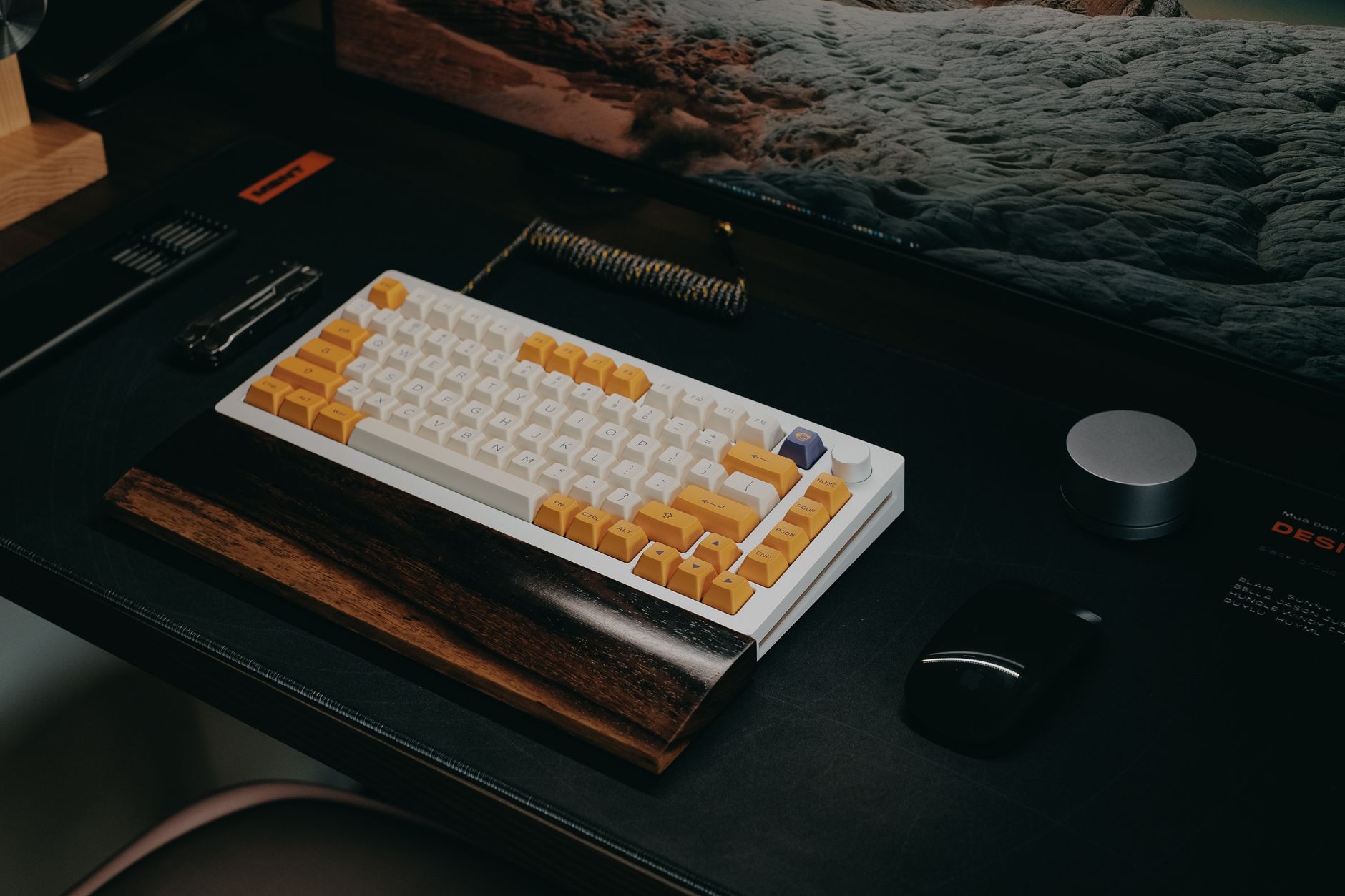
At 31.5 inches wide, the VIVO extra-wide tray is the one to buy if you refuse to reach up to the desktop for your mouse. Both hands stay at the same height and the same distance from your body, which is the actual ergonomic point. Reaching up and forward for a mouse every few minutes is what pulls the shoulder forward and rotates the torso, and that pattern shows up as one-sided neck and upper-back ache by mid-afternoon. A wide tray removes it entirely.
Specs are respectable for the price. Height travel runs about 4.3 inches, tilt spans 15 degrees negative to 15 degrees positive, and the platform swivels 360 degrees. The surface is a matte laminate with a raised front lip that stops a keyboard from sliding forward when you tilt the front edge down. The mounting bracket is steel and uses a screw mount with a clamp option on some versions. The 3-year warranty is standard for the brand.
There is a real limitation. A 31.5-inch platform that swivels under a standard 30-inch-deep desk will hit your thighs when you rotate it toward you, and it overhangs the sides of narrower desks. Measure your desk width before ordering. The wide platform also puts more leverage on the mounting screws, so use the included hardware and hit a stud or a solid top rather than particle board. When you set it up, keep the keyboard on the left and the mouse on the right with about 2 inches between them, then adjust the swivel so the whole surface sits square to your shoulders.
Choose the VIVO if one flat surface for both hands matters more to you than premium bushings.
Key strengths:
- ✅ 31.5-inch platform keeps keyboard and mouse at the same height and reach
- ✅ Full 15 degrees of negative tilt with a raised front lip to stop sliding
- ✅ Steel mounting bracket with clamp option on some versions
- ✅ Removes the repeated forward reach that drives one-sided shoulder strain
- ❌ Too wide for desks under about 48 inches and overhangs narrower tops
- ❌ Mounted screws carry more leverage from the wide platform
- ❌ 3-year warranty is average, and the laminate surface can show wear at the edges
Who it’s for: Anyone who wants both hands down on one level surface and has a desk at least 48 inches wide.
6. Kensington Comfort Type Adjustable Keyboard Platform , Simple tilt-only platform
The Kensington Comfort Type does one thing and does not pretend otherwise. There is no height adjustment at all. You get tilt from 15 degrees negative to 15 degrees positive, a 360-degree swivel, a 20.5-inch platform, and a built-in gel wrist rest, and that is the complete list. It is a flat mount that attaches directly under the desk edge with screws.
That makes it the wrong tray for most people reading this. If your keyboard sits too high, a tray with no height travel cannot lower it. It can only change the angle. The Canadian Centre for Occupational Health and Safety guidance on seated workstation setup is blunt about this: the keyboard height has to be set relative to the elbow, and the angle is a secondary adjustment. Buy this tray only if your desk height is already correct and you want to add negative slope without adding a bulky arm.
Where it earns a place on this list is simplicity and price. Threaded screw inserts mean installation takes about fifteen minutes. The gel wrist rest is genuinely comfortable and removable. The platform is thin enough that it does not eat knee clearance, which matters in a shallow desk or an under-desk drawer setup. The 2-year limited warranty is the shortest here.
Choose this if your desk is already the right height and you want tilt and swivel without a mechanism that can fail.
Key strengths:
- ✅ Threaded screw inserts make installation fast and repeatable
- ✅ Removable gel wrist rest is comfortable and does not collect grime at the seam
- ✅ Thin platform preserves knee clearance in shallow desks
- ✅ Full 15 degrees of negative tilt for the price of a basic tray
- ❌ No height adjustment at all, so it cannot fix a desk that is too tall
- ❌ 2-year limited warranty is the shortest in this comparison
- ❌ 20.5-inch platform leaves no mouse room
Who it’s for: Desk workers whose keyboard height is already correct and who only need to add negative slope.
Frequently Asked Questions
Do I actually need a keyboard tray?
Only if your keyboard sits above elbow height. Measure your elbows when your shoulders are relaxed. If the tops of the keys are higher than your elbows, a tray will help. If your desk is already low enough and your chair adjusts, you can skip the tray and spend the money elsewhere.
What is negative tilt and why does it matter?
Negative tilt means the front edge of the keyboard is lower than the back edge, so your wrists angle down instead of bending upward. Cornell University Ergonomics research on keyboard placement supports a slight negative slope for most desk workers. It keeps the wrist in a neutral position and reduces the constant upward bend that irritates the forearm tendons.
Can a keyboard tray work with a standing desk?
Yes, but choose carefully. A tray that clamps to the desktop edge will lift with the desk and keep the keyboard at the right height in both seated and standing positions. Screw-mounted trays on a standing desk need a frame rail thick enough to hold the screws without stripping.
How much weight can an under-desk keyboard tray hold?
Most quality arms are rated between 10 and 25 pounds. That is plenty for a mechanical keyboard, a wrist rest, and a mouse. Cheap steel arms with plastic bushings start to sag and wobble well before they reach their rated limit, especially when the tray is fully extended.
Where should I mount a keyboard tray under my desk?
Center the track on your seated position, not on the middle of the desk. Sit down, relax your shoulders, and mark the spot where your hands naturally fall. Mount the track so the platform sits centered on that mark, and leave at least 2 inches of clearance between the tray and your thighs.
Will a keyboard tray fit any desk?
No. Clamp mounts need a flat edge and roughly 1.5 inches of overhang. Screw mounts need a solid wood or thick laminate top at least 0.75 inches thick. Glass tops, thin hollow-core doors, and desks with a full-width steel apron or drawer pedestal often rule out an under-desk tray entirely.
What Should You Remember?
- Elbow height is the test: if your elbows sit above your keyboard, a tray fixes the problem faster than any other change.
- Negative tilt beats flat: aim for a front-edge-down angle of 10 to 15 degrees to keep wrists neutral.
- Height travel matters more than tilt: look for at least 4 inches of vertical adjustment so the tray can follow your chair.
- Platform width decides your mouse: 19.5 inches fits a keyboard, 26 to 31 inches fits a keyboard and mouse together.
- Warranty is a quality signal: arms backed for 5 to 15 years use metal bushings that do not sag after a year.
- Clamp mounts are reversible, screw mounts are not: measure your desk edge and thickness before you drill anything.
- A tray cannot fix a bad chair: pair it with a properly adjusted seat before blaming the keyboard position.
This article is for general information only and is not medical advice. Ergonomic guidance varies by body type and underlying conditions. Consult a physician or physical therapist for persistent pain before changing your workstation.