Ask any physical therapist why your forearm aches after eight hours of spreadsheets, and they will point to pronation. A flat mouse forces your radius and ulna to cross as the palm faces downward. Over months, that inward twist can strain the wrist extensors and the tissues near the carpal tunnel. The wrist pain desk worker guide explains how repeated small movements load tendons. In 2026, the fix is not just a softer wrist rest. It is choosing a mouse that keeps the forearm bones uncrossed and the wrist near neutral. That means vertical, trackball, or sculpted mice, not another flat ambidextrous shell.
We compared the most practical ergonomic mice across three categories: vertical, thumb trackball, and sculpted. The goal was to find devices that reduce harmful wrist angles without killing precision. We looked at hand size accommodation, sensor resolution, battery life, connection type, build quality, and street price. We also used published guidance from the Cornell University Ergonomics Web and OSHA to evaluate neutral joint positions. A mouse is only one input device, but it often causes more wrist complaints than the keyboard. We ruled out models with unreliable Bluetooth or slick shells.
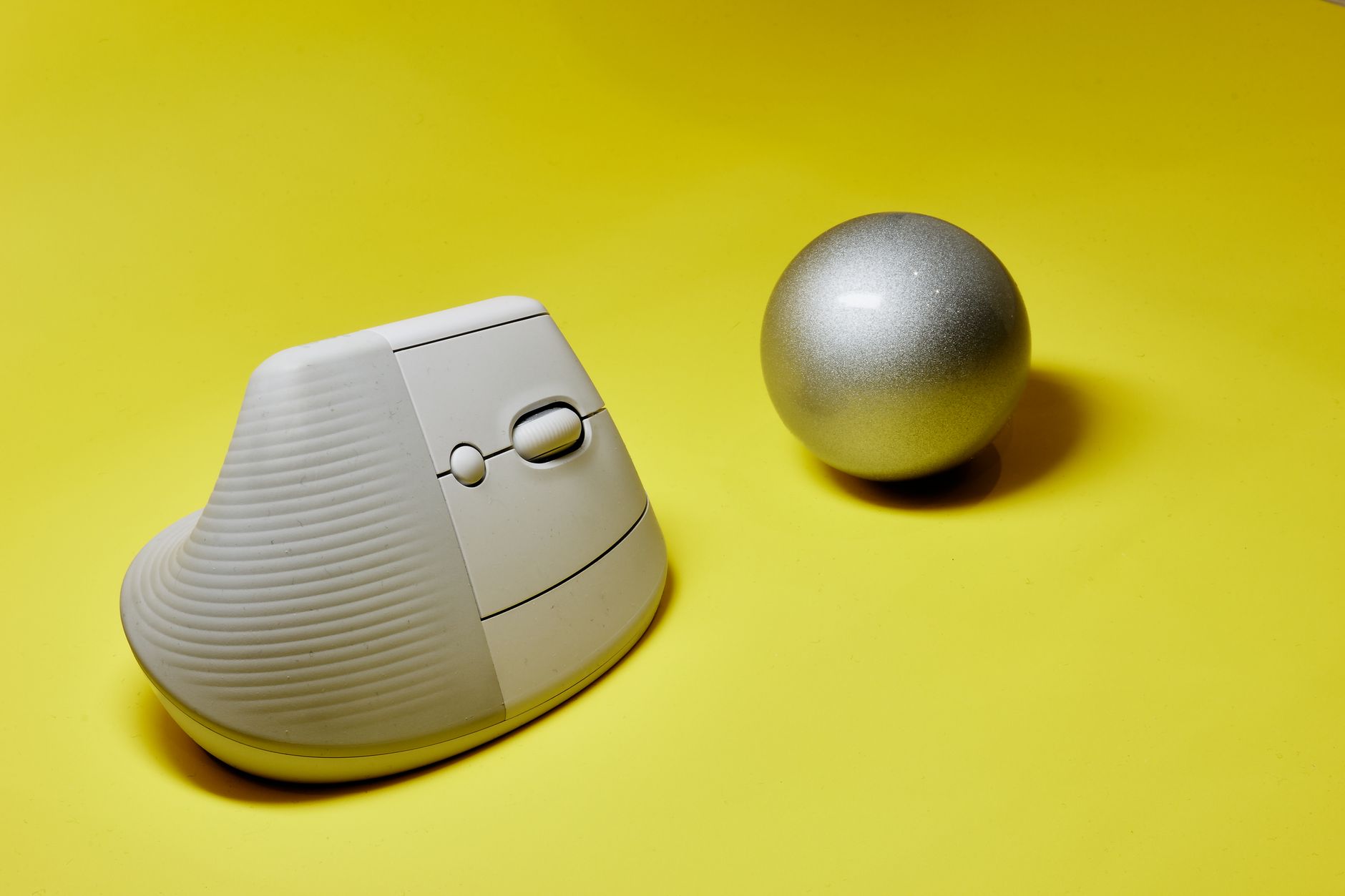
For most desk workers, a vertical mouse is the right first step. The Logitech MX Vertical holds the hand at about a 57 degree angle, closer to a handshake than a flat palm-down position. That reduces pronation and keeps the wrist in a safer zone. But vertical mice are not ideal for everyone. If your thumb hurts or your desk tray is extremely tight, a trackball can keep the hand stationary. Before you buy, check our how to set up an ergonomic workstation guide. Desk height and arm support matter just as much as the mouse.
Precision is also not just about DPI. A high resolution sensor helps you cross a large monitor with less arm travel. That matters if you drive dual 4K screens or a 34 inch ultrawide. However, high DPI without a neutral wrist can create a false sense of comfort. The best ergonomic mouse supports the palm, reduces repetitive swiping, and lets the big muscles guide the arm. We tested cursor tracking on glass, fabric, and plastic desk mats. We also weighed the noise level, because shared offices punish loud clicks. The five picks below cover vertical, trackball, and sculpted shapes across different budgets.
How Do the Top Options Compare?
| Model | Type | Wrist Angle | Sensor/DPI | Connectivity | Weight | Price |
|---|---|---|---|---|---|---|
| Logitech MX Vertical | Vertical | ~57° handshake | 4000 DPI | USB-C / Bluetooth / Unifying | 135 g | Check price |
| Logitech MX Ergo | Trackball | 0° to 20° hinge | 512 to 2048 DPI | USB-A / Bluetooth | 164 g body | Check price |
| Logitech MX Master 3S | Sculpted | ~57° sculpted tilt | 8000 DPI | USB-C / Bluetooth / Logi Bolt | 141 g | Check price |
| Microsoft Sculpt Ergonomic Mouse | Sculpted | Elevated thumb rest | 1000 DPI | 2.4 GHz USB-A | 135 g with batteries | Check price |
| Anker Wireless Vertical Mouse | Vertical | Upright handshake | 800 / 1200 / 1600 DPI | 2.4 GHz USB-A | 95 g | Check price |
Prices are typical street prices and fluctuate often. The Logitech MX Master 3S requires Logi Bolt or Bluetooth; older Unifying receivers will not work.
1. Logitech MX Vertical , Most desk workers needing a vertical mouse

The Logitech MX Vertical is the first vertical mouse we recommend for most office workers. It places your hand at a 57 degree angle, close to the neutral handshake position recommended by ergonomics researchers. The rubberized surface and textured thumb rest stop your grip from sliding during a long day. At 135 grams, it is heavy enough to feel stable but not so heavy that fine cursor placement becomes tiring. The built in 240 mAh battery lasts up to four months on a full charge. USB-C fast charging gives three hours of use from a one minute charge. Check the Logitech MX Vertical on Amazon. Precision is strong for office tasks. The 4000 DPI sensor is adjustable from 400 to 4000 DPI, so you can tune cursor speed without relying on software acceleration. The button action is quiet, but the main clicks feel slightly softer than the Logitech MX Master 3S. One limitation is the lack of a free-spinning scroll wheel. The wheel is notched, which is fine for spreadsheets but less fluid for long documents. For a matching input setup, read our best ergonomic keyboards 2026 guide. Compared with budget vertical mice, the MX Vertical is narrower and better for medium to large hands. Small hands may find the reach to the forward button a little long. Logitech Options software gives app-specific button mapping, but the adaptation curve is real. Most people need about a week to stop overshooting icons. If your desk has a slide-out tray, confirm your elbow height before blaming the mouse.
Key strengths:
- ✅ 57 degree handshake angle reduces forearm pronation
- ✅ 4000 DPI sensor with adjustable speed settings
- ✅ USB-C fast charge and four month battery life
- ✅ Rubberized surface and textured thumb rest keep grip secure
- ❌ Not ideal for extra-small hands due to forward button reach
- ❌ Notched scroll wheel lacks free-spinning mode
- ❌ Bluetooth can feel laggy on some older Windows machines
Who it’s for: Choose the MX Vertical if you want the most approachable vertical mouse for medium or large hands.
2. Logitech MX Ergo , Desk workers with limited space or thumb pain
The Logitech MX Ergo is a thumb-operated trackball that keeps the wrist planted. Instead of swiping your arm across a pad, you roll the 34 mm trackball with your thumb. The body has a metal hinge that adjusts from 0 degrees to 20 degrees, letting you fine tune forearm tilt. This is one of the few trackballs with a true adjustable angle. The base is heavy and stays put. At 164 grams without the metal plate, it is not a travel mouse, but that weight is an advantage on a desk. Check the Logitech MX Ergo on Amazon. Precision tops out at 2048 DPI with a resolution button that toggles between 512 and 2048. That is lower than the MX Master 3S but enough for photo editing and long navigation. The trackball itself is smooth and removable for cleaning, which matters because lint and dust collect in the socket. You can pair with Bluetooth or the included USB-A Unifying receiver. Battery life is around four months on a full charge, and a one minute charge gives enough power for a full day. The MX Ergo is not for everyone. If you have thumb arthritis or De Quervain’s tenosynovitis, rolling a trackball all day can aggravate the thumb tendon. In that case, a vertical mouse is often safer. For wrist pain caused by forearm pronation, however, the MX Ergo is excellent because the wrist does not bend from side to side. The ergonomic mouse for carpal tunnel guide compares thumb and central trackballs in more detail.
Key strengths:
- ✅ Adjustable 0 to 20 degree hinge supports neutral forearm
- ✅ Stationary design eliminates repetitive arm swiping
- ✅ Smooth 34 mm trackball with simple cleaning
- ✅ Bluetooth plus USB-A Unifying receiver
- ❌ Thumb rolling can flare up thumb tendon pain
- ❌ Lower 2048 DPI ceiling than vertical and sculpted rivals
- ❌ Bulky base uses more desk depth
Who it’s for: Pick the MX Ergo if you want a stationary trackball and have room for a wide base.
3. Logitech MX Master 3S , High precision and multi-device productivity
The Logitech MX Master 3S is not a vertical mouse, but its sculpted body tilts slightly toward a handshake and provides tall palm support. It is the best option for office workers who need high precision and do not have chronic wrist pain. The sensor runs at 8000 DPI, which allows fast cursor travel across 4K and ultrawide displays. In practical terms, you need less arm movement to cross a screen, which reduces shoulder fatigue. The MagSpeed scroll wheel switches from notched to free spinning automatically. It can fly through a 1,000 row spreadsheet in seconds. Check the Logitech MX Master 3S on Amazon. The quiet click switches are a major upgrade over older Logitech flagships. They keep noise down in shared offices. The thumb rest holds the hand in a semi-pronated position, not as upright as the MX Vertical. If your pain is on the top of the forearm, the MX Master 3S may still allow too much flattening. For true neutral wrist posture, choose a vertical mouse. For everything else, the MX Master 3S is more accurate and more customizable than almost any other sculpted mouse. It pairs with up to three devices over Bluetooth or Logi Bolt. At 141 grams, it is well balanced but not light. The 500 mAh battery lasts up to 70 days on a full charge, and USB-C fast charging adds three hours from one minute. The main limitation is price. At around $99, it costs the same as a vertical mouse but does not fix wrist pronation as aggressively. Pair it with a smooth mat from our best desk mats 2026 guide to keep the high-resolution sensor tracking consistently.
Key strengths:
- ✅ 8000 DPI sensor for high resolution and fast cursor travel
- ✅ MagSpeed wheel shifts from notched to free-spinning automatically
- ✅ Quiet click switches suit shared workspaces
- ✅ Connects to three devices over Bluetooth or Logi Bolt
- ❌ Still keeps wrist semi-pronated, not fully handshake
- ❌ Costs as much as a dedicated vertical mouse
- ❌ Requires Logi Bolt or Bluetooth; older Unifying receiver not supported
Who it’s for: Choose the MX Master 3S if precision and multi-device workflow matter more than a fully vertical wrist angle.
4. Microsoft Sculpt Ergonomic Mouse , Budget-conscious workers wanting thumb support
Microsoft Sculpt Ergonomic Mouse is the value pick for a sculpted shape. Its ball-shaped body and raised thumb rest keep the wrist off the desk and reduce the pinch grip many people use on flat mice. At about $60, it costs less than half the Logitech MX Master 3S. The 2.4 GHz USB receiver is reliable and has almost zero pairing hassle. The sensor is a basic 1000 DPI, which is the main weakness. On a 1080p monitor it is fine, but on 4K displays the cursor feels slow unless you increase system pointer speed, which adds jagged movement. The side thumb buttons sit near the natural thumb position. The main clicks are quiet enough for open offices. Battery life runs around 12 months on two AA batteries, which is longer than many rechargeable rivals. It weighs about 135 grams with batteries. The dome shape is short, so large hands may feel their palm hang over the edges. It is also right-handed only. If you are left-handed, this model will not work. For a deeper dive into avoiding arm pain, see our home office ergonomic mistakes neck back pain guide. Another tradeoff is build quality. The plastic shell is lighter and feels less premium than Logitech options. The receiver is USB-A only, so USB-C laptop users need an adapter. But for a workstation where the mouse stays put and your budget is tight, the Sculpt remains a comfortable entry point.
Key strengths:
- ✅ Raised thumb rest reduces pinch grip
- ✅ Low price near $60
- ✅ 12 month battery life from two AA batteries
- ✅ Reliable 2.4 GHz USB receiver
- ❌ 1000 DPI sensor feels slow on 4K displays
- ❌ Plastic shell feels less durable
- ❌ Right-handed only and USB-A receiver
Who it’s for: Pick the Microsoft Sculpt if you want a low-cost sculpted mouse and use a 1080p display.
5. Anker Wireless Vertical Mouse , Budget vertical testing without a big commitment
Anker Wireless Vertical Mouse is the cheapest way to test a vertical handshake without committing $100. It costs around $22 to $30, yet still holds the wrist at a more neutral angle than any standard flat mouse. The textured side panels and concave thumb rest keep the hand stable. The 2.4 GHz USB-A receiver is tiny and stores inside the mouse body. Two AAA batteries power it for about six months depending on use. The sensor offers three DPI steps: 800, 1200, and 1600. That covers most single-monitor office work. It will feel underpowered on a high-refresh 4K display. The six-button layout includes forward and back buttons, but the forward button is too far for small hands. Build quality is plastic and somewhat hollow, but at this price that is expected. The main clicks are louder than Logitech offerings. Before buying the Anker, consider your hand size. It is narrower than the Logitech MX Vertical and better for medium and small hands. Large hands may find the palm support too low. Use it on a cloth desk mat because the sensor can skip on glossy reflective surfaces. For a full workstation reset, start with your desk height and arm support before judging the mouse.
Key strengths:
- ✅ Very low price around $22 to $30
- ✅ Vertical handshake reduces forearm pronation
- ✅ Small USB-A receiver stores inside the body
- ✅ Three DPI steps for basic display sizes
- ❌ 1600 DPI ceiling feels slow on 4K displays
- ❌ Plastic body feels hollow and clicks are loud
- ❌ Forward button is difficult for small hands
Who it’s for: Choose the Anker if you want to try a vertical mouse on a tight budget before upgrading.
Frequently Asked Questions
Are vertical mice actually better for wrist pain?
A vertical mouse keeps the forearm in a handshake position, which reduces the forearm bone crossing that often aggravates wrist pain. The Cornell University Ergonomics Web and OSHA both emphasize neutral joint posture. However, the best mouse depends on your specific pain pattern. Thumb pain may respond better to a trackball or sculpted mouse, while ulnar-side pain often improves with a vertical shape.
How long does it take to adjust to a vertical mouse?
Most desk workers need five to seven days to adjust to a vertical mouse. The first two days often feel awkward, and cursor accuracy may drop temporarily. After a week, many users report better comfort and normal precision. Start with your normal work tasks and avoid high-stakes graphics work during the first few hours.
Is a trackball mouse better for carpal tunnel syndrome?
A trackball can help because it removes the wrist movement and forearm glide of a traditional mouse. The hand stays planted. However, thumb-operated trackballs can irritate the thumb tendons in some people. If you have carpal tunnel symptoms, a vertical mouse or a centrally located trackball may be a safer first choice.
What DPI setting should I use for office work?
For a 1080p monitor, 800 to 1600 DPI is usually comfortable. For 4K or ultrawide displays, 3000 DPI and higher reduce arm travel. Set the pointer speed in software so that you can move across the screen with one moderate wrist or forearm movement. Avoid relying on system pointer acceleration, which can make cursor movement less predictable.
Can an ergonomic mouse be used left handed?
Most vertical and sculpted ergonomic mice are right-handed only. The Microsoft Sculpt Ergonomic Mouse and the Logitech MX Vertical shape are molded for the right hand. Left-handed workers should look for an ambidextrous trackball or a keyboard tray with limited side-to-side mouse travel. A left-handed vertical mouse is rare.
How should I position my ergonomic mouse on the desk?
Place the mouse directly next to your keyboard, at elbow height, and as close to your body as possible. Your shoulder should stay relaxed, and your elbow should remain at about 90 degrees. Do not reach far forward or angle the mouse away from your midline. A compact keyboard can help create space.
What Should You Remember?
- Neutral wrist: Vertical mice reduce forearm pronation to about 57 degrees, closer to neutral than a flat mouse.
- Trackball: A thumb trackball keeps the wrist planted and removes repetitive arm swipes.
- Precision: 8000 DPI on the MX Master 3S supports large and high-resolution screens.
- Value: The Microsoft Sculpt costs about $60 and provides a sculpted thumb rest for basic displays.
- Positioning: Keep the mouse at elbow height and close to your body to avoid shoulder strain.
- Adaptation: Expect a five to seven day adjustment period for vertical and trackball mice.
This article is for general information only and is not medical advice. Ergonomic guidance varies by body type and underlying conditions. Consult a physician or physical therapist for persistent pain before changing your workstation.