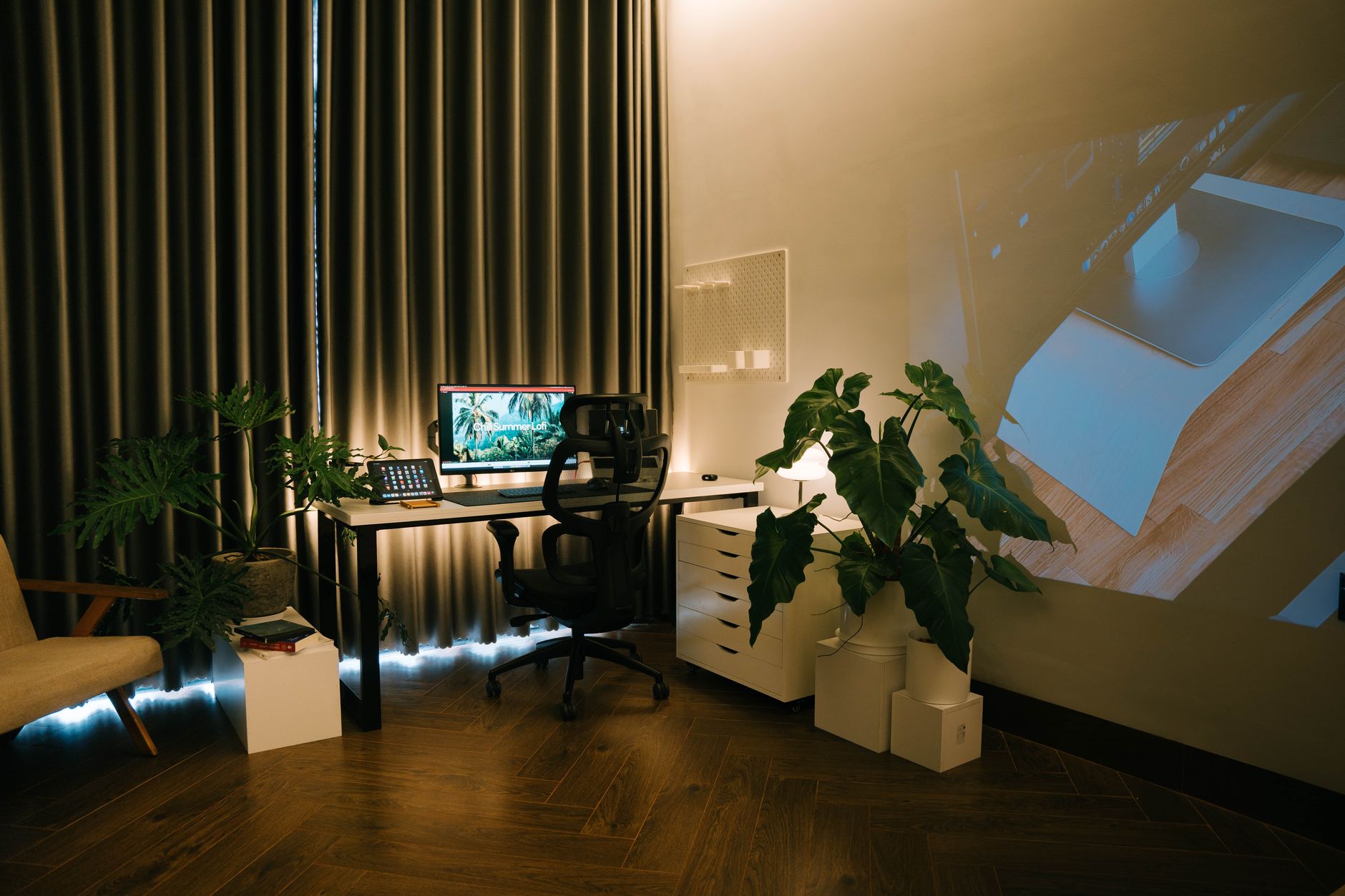
Grovemade is a Portland workshop that turned a walnut desk shelf into one of the most photographed objects in the home office world. Search for a desk setup on any social platform and the same silhouette shows up: a solid wood shelf raised on slim legs, a monitor sitting on top, a keyboard tucked underneath in a shallow drawer, and a strip of wool felt or vegetable-tanned leather running the width of the desk. It looks calm. It looks expensive. The real question for anyone building a workstation is whether that silhouette holds up when you measure it against ergonomic guidelines. In most cases it does, with one or two caveats you need to plan for before you spend. Start with our how to set up an ergonomic workstation guide if you want the measurements first.
I evaluated the Grovemade lineup the way I judge any riser or tray: by the numbers, not the photos. A monitor’s top edge should sit at or slightly below eye level, and the screen should land roughly 20 to 40 inches from your eyes, the range the Occupational Safety and Health Administration publishes for computer workstations. That means a fixed shelf has to deliver about four to six inches of lift for an average seated adult, and it has to do it without pushing the screen so far back that you lean forward on a 24-inch-deep desk. Grovemade handles the first part well. The second part depends on your desk depth and how much clutter you park underneath the shelf.
Fixed height is the trade-off you accept with any wood riser. A monitor arm moves in three axes and often costs less than a walnut shelf, so if your chair height changes through the day or you share the desk with someone shorter, an arm is the more honest purchase. I covered those trade-offs in our best monitor arm roundup. The Grovemade shelf wins on a different axis: it holds a keyboard, a notebook, a pen cup, and a pair of headphones in the same footprint, and it does that in a material that will outlast three plastic risers. If you are heading toward a height-adjustable setup, our best standing desks guide covers frames that pair well with this class of accessory.
This comparison covers five pieces from the Grovemade desk line: the Desk Shelf System, the Monitor Stand, the wood Keyboard Tray, the Desk Pad, and the Laptop Stand. Each entry explains what it does well, where it frustrates, and who should skip it. I left prices out on purpose because they move, and a number that goes stale in a month helps nobody. Use the check price links if you want current figures. Two things worth knowing before you read further. Grovemade sells through its own site and a small number of retailers, and the wood is a natural material, so grain and color vary from one unit to the next. Order the finish you can live with, not the one in the photo.
How Do the Top Options Compare?
| Product | Best For | Material | Key ergonomic detail | Price |
|---|---|---|---|---|
| Grovemade Desk Shelf System | Overall pick for storage plus monitor lift | Solid walnut or maple, wool felt or leather liner | Lifts a monitor about 4 to 5 inches | Check price |
| Grovemade Monitor Stand | Single display riser with no storage | Solid walnut or maple, felt or leather top | Same lift, leaves the desk open underneath | Check price |
| Grovemade Keyboard Tray | Keyboard and mouse storage under the shelf | Solid wood with felt liner | Keeps the keyboard close to the body at desk height | Check price |
| Grovemade Desk Pad | Surface upgrade for any desk | Wool felt or vegetable-tanned leather | Damps keyboard vibration, adds no wrist support | Check price |
| Grovemade Laptop Stand | Laptop-first desks | Solid walnut or maple | Raises the screen, not the keyboard | Check price |
1. Grovemade Desk Shelf System , Best Overall for a Clean, Riser-Based Setup
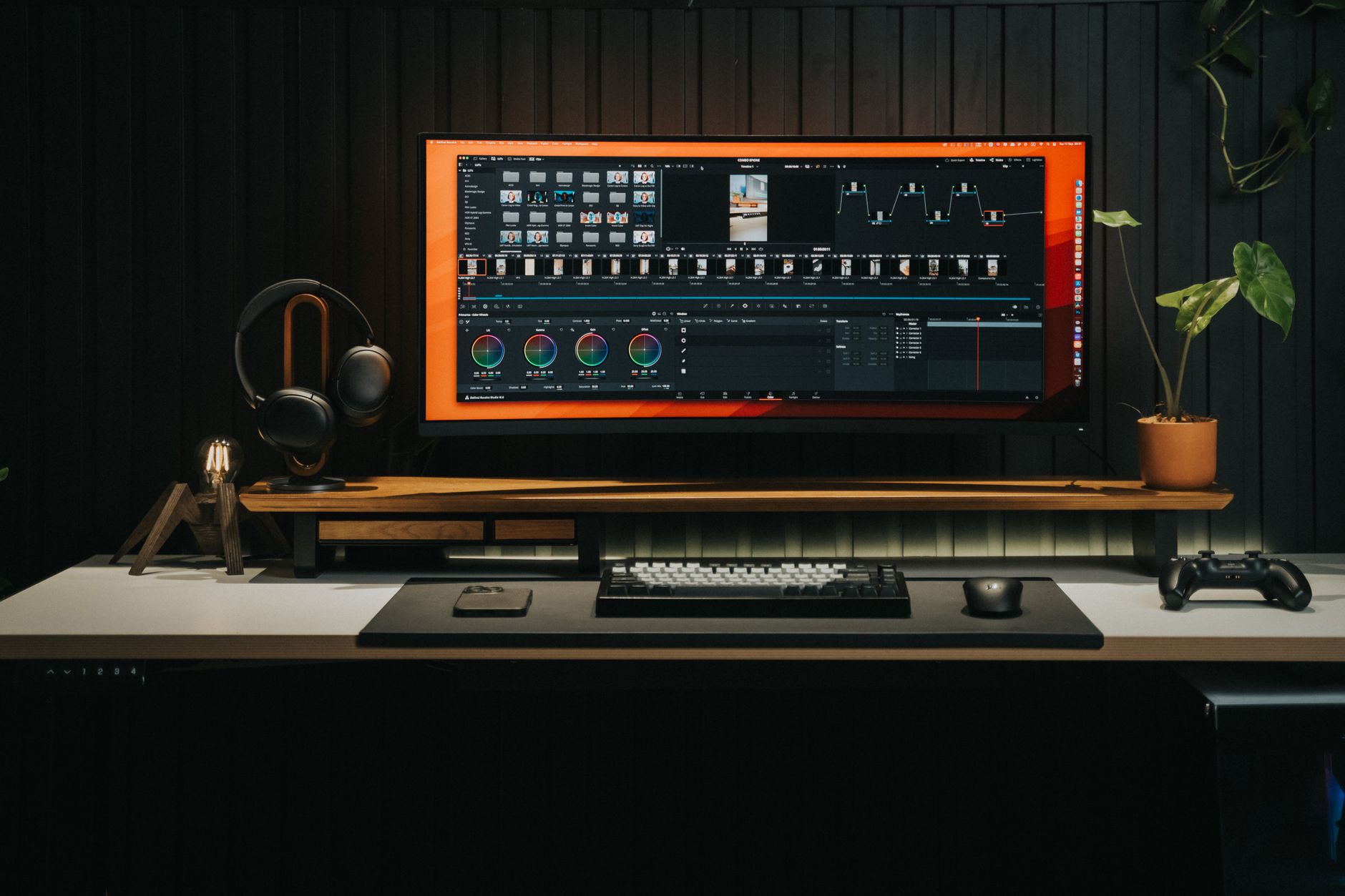
The Desk Shelf System is the piece that made Grovemade a familiar name in home offices. A solid slab of walnut or maple sits on powder-coated steel legs, and the deck is lined with wool felt or vegetable-tanned leather depending on the finish you order. The shelf raises a monitor roughly four to five inches off the desktop, enough for most seated adults to bring the top third of the screen level with their eyes. That single change removes the craned-neck posture that low monitors and bare laptops create.
Storage is what justifies the footprint. The deck is deep enough to swallow a full-size keyboard, a notebook, and a pen cup at once, and the open sides leave cable routing visible instead of buried. The catch is the fixed height. A monitor arm travels up, down, forward, and back, and no wooden shelf does that. If two people share the desk and their eye heights differ by four inches, one of them spends the day looking slightly up. For a shared desk, put the money into an adjustable arm and keep a simple wood riser under the monitor instead.
Build quality holds up. The finish is a hardwax oil that shrugs off coffee rings better than bare timber, and the felt liner stays dense after a year of daily keyboard traffic. Assembly takes minutes with the included hex key, and the non-slip feet grip laminate and hardwood alike. One honest complaint: the legs sit close to the shelf edge, so a clamp-on monitor arm or a boom microphone will not fit on the same stretch of desk. Check the Grovemade desk shelf on Amazon for current finishes, sizes, and pricing.
Key strengths:
- ✅ Raises a monitor about four to five inches, which is the lift most seated adults need to hit eye level
- ✅ Holds a keyboard, notebook, and pen cup in the same footprint, so the desktop stays clear
- ✅ Solid walnut or maple with a hardwax oil finish that resists water rings better than bare wood
- ✅ Felt and leather liner options are dense enough to survive daily keyboard traffic without pilling
- ✅ Open sides make cable routing and dusting far easier than an enclosed riser
- ❌ Fixed height means no adjustment when you change chair settings or share the desk
- ❌ Legs sit close to the shelf edge, so clamp-on arms and boom mics will not fit alongside it
- ❌ Costs more than a monitor arm that moves in three axes and does more
Who it’s for: Choose the shelf if you want monitor height and desk storage in one piece and you are the only person using the desk.
2. Grovemade Monitor Stand , Best Single-Monitor Riser
The Monitor Stand is the Desk Shelf with the storage removed. It is a single wood platform with the same felt or leather surface, sized to carry one display up to roughly 27 inches diagonal, and it lifts the panel by the same four to five inches. If you already have drawers or a wall shelf handling storage, this gets you the same sight line for less money and less desk real estate.
The ergonomic math is identical to the shelf. Top of the screen at or slightly below eye level, and the panel 20 to 40 inches from your face. Cornell University’s ergonomics researchers have published those ranges for years, and they are the numbers to check before you commit. On a 24-inch-deep desk, a riser that pushes the monitor forward can leave you sitting six inches too close. That is a desk depth problem, not a stand problem, and no accessory fixes it.
Two small irritations. There is no cable channel, so a thick display cable loops over the back edge unless you route it with a clip. And a monitor resting on felt can slide half an inch when you bump the desk. Both are minor in daily use. Assembly takes about five minutes with the included hex key, and the non-slip pads sit well on laminate and hardwood alike.
Check the Grovemade monitor stand on Amazon for the maple, walnut, and leather versions.
Key strengths:
- ✅ Delivers the same four to five inches of lift as the full shelf for less money
- ✅ Takes up less desk depth than the shelf system, which helps on shallow desks
- ✅ Matches the shelf finish if you already own other pieces from the line
- ✅ Solid wood deck does not flex under a heavy display the way thin plastic risers do
- ✅ Five-minute assembly with no tools beyond the included hex key
- ❌ No storage underneath, so the desk surface stays exactly as cluttered as before
- ❌ No cable routing channel, so a thick display cable loops over the back edge
- ❌ A smooth felt top lets a monitor shift slightly when the desk is bumped
Who it’s for: Buy this if you only need screen height and you already have storage handled elsewhere on the desk.
3. Grovemade Keyboard Tray , Best for Pairing with the Desk Shelf

This tray is a wood drawer that mounts to the underside of the Desk Shelf. Pull it forward and your keyboard and mouse sit at desk height, right under your hands. Push it back and the desktop is clear. It is lined with the same felt, so keys do not clack against bare wood, and it keeps a mechanical keyboard out of the dust that collects on an open surface.
The ergonomic case for it is reach, not height. Keyboards should sit at roughly elbow height with your elbows open between 90 and 110 degrees and your wrists straight. A tray that keeps the keyboard a few inches closer to your body means less shoulder extension, which is often the difference between typing comfortably for six hours and feeling it in your upper back by mid-afternoon. Our best ergonomic keyboards guide covers which boards pair well with a shallow tray, since a tall mechanical deck can eat most of the clearance.
Limits are real. The tray takes up the space under the shelf, so a monitor with a thick base or a laptop on a riser may no longer fit. Mouse travel is tight, often no more than six inches of side-to-side room, so low-sensitivity gamers and CAD users should look at a wider tray that clamps to the desktop itself. And it only mounts to the shelf. Buy both or neither. Check the Grovemade keyboard tray on Amazon for the current build options.
Key strengths:
- ✅ Keeps the keyboard a few inches closer to the body, which reduces shoulder reach during long typing sessions
- ✅ Slides away completely, so the desk surface clears in one motion at the end of the day
- ✅ Felt liner cuts keyboard noise and protects the keys from dust
- ✅ Matches the shelf wood and liner for a single coordinated look
- ✅ Holds a full-size keyboard plus a mouse in the stored position
- ❌ Only mounts to the Grovemade Desk Shelf, so it is useless on its own
- ❌ Mouse room is tight, often around six inches of travel
- ❌ Eats the under-shelf clearance a monitor base or laptop riser may need
Who it’s for: Buy this only if you already own the Desk Shelf and want a tidier, closer keyboard position.
4. Grovemade Desk Pad , Best Desk Surface Upgrade
The desk pad is the least expensive way to change how a desk feels. Wool felt is sourced from a German mill and cut wide enough for a keyboard plus mouse, with vegetable-tanned leather as the alternative surface and cork or natural rubber underneath to stop it walking. It sits a few millimeters thick, so nothing wobbles and your chair height does not change.
What it actually does is smaller than the marketing suggests. A felt or leather mat does not correct posture, does not add wrist support, and does not make your setup more adjustable. What it does is deaden the hollow knock of a keyboard, keep forearms off a cold laminate surface in winter, and hide the scratches a decade of work leaves behind. If you want padding under your wrists, read our best desk mats roundup for options that include a wrist rest.
Care is where wool surprises people. It collects dust and pet hair, and it needs a brush or a lint roller every couple of weeks. Leather takes scratches and darkens where your palms rest, which some people love and others do not. Measure your keyboard and mouse travel before ordering, because the standard pad is sized for a compact setup rather than a 60-inch desk with two monitors.
One sizing note: the felt version comes in a smaller footprint for narrow desks, and color shifts slightly between production runs as dye lots change. Check the Grovemade desk pad on Amazon for the felt, leather, and size options.
Key strengths:
- ✅ Quiets keyboard noise and protects the desk finish from scratches and coffee rings
- ✅ Wool felt and vegetable-tanned leather both feel warmer than bare laminate on cold mornings
- ✅ Cork or natural rubber backing keeps the pad from sliding during fast mouse work
- ✅ Only a few millimeters thick, so it does not change chair height or mouse sensor behavior
- ✅ The cheapest way to make a mismatched desk look intentional
- ❌ Wool collects dust and pet hair and needs regular brushing
- ❌ No wrist support, so it will not help if you already have wrist discomfort
- ❌ Leather scratches and darkens over time, which is either a feature or a dealbreaker
Who it’s for: Buy this if you want a quieter, warmer desk surface and you accept that it fixes nothing about posture.
5. Grovemade Laptop Stand , Best for Laptop-Only Desks
The Laptop Stand is a solid wood riser that puts a laptop screen within a few inches of eye level. It targets the exact problem every laptop user has: the screen and keyboard are joined, so one of them is always in the wrong place. Raise the screen to save your neck and your hands end up typing at chest height. Leave it flat and your neck pays instead.
The fix is to treat the stand as half a purchase. Pair it with a separate keyboard and mouse so the laptop becomes a display. That combination puts the screen at eye level and your hands at elbow height at the same time, which is the only arrangement that satisfies both. Our best laptop stands guide covers lighter aluminum models if you need something that travels, because this one stays on the desk.
Downsides worth naming. The angle is fixed, there is no ventilation cutout in the wood deck, and it is heavy enough that you will not move it twice a day. It also takes permanent space behind the keyboard, which matters on a 24-inch-deep desk. If your laptop vents from the bottom, a solid wood deck traps more heat than an open aluminum stand. For a fanless ultrabook that never spins up, that is fine. For a 15-inch gaming machine running at full load, it is not.
Check the Grovemade laptop stand on Amazon if the wood finish matters more to you than portability.
Key strengths:
- ✅ Raises a laptop screen close to eye level, which removes the down-and-forward neck angle
- ✅ Solid wood construction stays steady when you type on an external keyboard
- ✅ Matches the shelf, stand, and pad for a single coordinated desk
- ✅ Simple one-piece design with no hinges to loosen over time
- ✅ Heavy base will not slide when you bump the desk
- ❌ Fixed angle with no tilt or height adjustment
- ❌ Solid deck blocks bottom-venting laptops more than an open aluminum stand
- ❌ Too heavy and bulky to pack for travel
Who it’s for: Buy this if your laptop is your main machine and you are ready to add an external keyboard and mouse.
Frequently Asked Questions
Is the Grovemade desk shelf worth it compared to a plastic monitor riser?
If you only need height, a plastic riser does the same job for a fraction of the cost. The Grovemade shelf adds storage, a felt or leather work surface, and solid wood that will not flex under a heavy display. Buy it for those extras, not for the lift alone.
How much does the Grovemade desk shelf raise a monitor?
About four to five inches, which puts the top of most displays at or slightly below eye level for a seated adult of average height. If you are taller than roughly six feet, you may need a taller riser or a monitor arm instead.
Do I need the desk shelf to use the Grovemade keyboard tray?
Yes. The tray mounts to the underside of the desk shelf, so it does not work as a standalone under-desk keyboard tray. If you do not own the shelf, look at a clamp-on tray that attaches to the desktop itself.
What wood and materials does Grovemade use?
The desk line is built from solid American black walnut or Eastern hard rock maple, finished with a hardwax oil. Liners are either 100 percent wool felt sourced from a German mill or vegetable-tanned leather. There is no veneer and no particle board.
Can I use a Grovemade monitor stand with a laptop?
You can, but it raises the screen without fixing the keyboard position. Use the stand with an external keyboard and mouse so your hands stay at elbow height. Otherwise you trade neck strain for wrist strain.
Is a wood desk shelf as adjustable as a monitor arm?
No. A shelf is fixed. A monitor arm moves up, down, forward, and back, and it usually costs less. Choose the shelf when storage matters more than adjustability, or when two people of similar height share the desk.
What Should You Remember?
- Measure before you buy: the shelf lifts a monitor about 4 to 5 inches, so check where your eyes sit once your chair is set up correctly.
- Shelf first, tray second: the Keyboard Tray only mounts under the Desk Shelf, so buy the pair together or skip both.
- Adjustability beats looks: a monitor arm moves in three axes and usually costs less than a walnut shelf. Buy wood when storage matters more than movement.
- Screen distance matters as much as height: aim for 20 to 40 inches between your eyes and the panel, the range OSHA publishes for computer workstations.
- The desk pad is the easy win: wool felt or leather quiets keyboard noise and keeps forearms off cold laminate for the least money.
- Natural materials vary: walnut grain and felt color differ between units, so pick a finish you can live with rather than matching a photo.
- Keep elbows at 90 to 110 degrees: whatever sits on the desk, the keyboard should land at elbow height with wrists straight.
This article is for general information only and is not medical advice. Ergonomic guidance varies by body type and underlying conditions. Consult a physician or physical therapist for persistent pain before changing your workstation.