You do not need a physically demanding job to wreck your back. In many cases, the culprit is the chair you sit in for eight hours a day. Sitting itself is not evil. The problem is prolonged, static sitting with poor posture. When you stay in one position for hours, your spine, discs, muscles, and ligaments all pay a price. The result is a dull ache that starts in your lower back and can travel into your hips, glutes, or legs. According to the Canadian Centre for Occupational Health and Safety, back pain is one of the most common reasons for missed work in office environments.
If you feel stiff when you stand up, you are not alone. The modern desk setup often encourages a forward head, rounded shoulders, and a slumped lower back. These positions put uneven pressure on the lumbar discs. Cornell University Ergonomics Web reports that sitting can increase pressure inside the lumbar discs by roughly 40 percent compared with standing. That helps explain why lower back pain is so common among people who sit for work. The good news is that most sitting-related back pain is preventable. You just need to understand the causes, fix your setup, and build a movement habit.
This guide explains what happens to your spine when you sit too long, the most common causes, and immediate relief strategies. You will also learn how to set up a workstation that supports a neutral spine and which ergonomic tools are worth your money. The goal is not to sell you a pile of gear. The goal is to help you sit smarter, stand more often, and train your body to tolerate desk work without pain.
What Happens to Your Spine When You Sit Too Long?

Your spine has three natural curves: cervical (neck), thoracic (mid back), and lumbar (lower back). When you sit with a neutral spine, those curves are supported. But most people do not sit that way. After 20 to 30 minutes of static sitting, the muscles that hold you upright begin to fatigue. Your pelvis tilts backward, your lower back flattens, and your head juts forward. This position increases stress on the discs and the surrounding soft tissue.
The lumbar discs are particularly vulnerable. As noted above, sitting can raise intradiscal pressure by as much as 40 percent compared with standing. That means the gel-filled discs between your vertebrae get squeezed unevenly. Over months and years, this repetitive load can contribute to disc bulges, ligament strain, and muscle imbalances. Tight hip flexors and weak glutes make the problem worse. Your body starts to rely on passive structures like ligaments instead of active muscles for support.
There is also a vascular and neurological component. When you sit still for long periods, blood flow to the spinal muscles drops. Waste products build up. Nerve roots can become irritated if a disc bulges or the spinal canal narrows. That is why some people feel pain, numbness, or tingling that travels down the leg. The fix is not just a better chair. It is changing your position and building endurance in the right muscles.
What Are the Most Common Causes of Sitting-Related Back Pain?
The first cause is prolonged static sitting. Even a perfect chair cannot save you if you never move. The Canadian Centre for Occupational Health and Safety (CCOHS) reports that back injuries account for roughly one in four lost-time workplace claims in Canada. The risk increases when you sit for more than four hours without a break. Movement is the natural pump that keeps discs nourished and muscles loose.
The second cause is poor lumbar support. Many office chairs are too deep, too soft, or have a backrest that does not match the curve of your lower back. When the lumbar spine is unsupported, it tends to slump into a flat or flexed position. This places more strain on the posterior disc wall. A chair with adjustable lumbar support helps, but you still need to sit all the way back in the seat. If you perch on the edge, you lose the benefit. For a deeper look at common errors, see this guide on home office ergonomic mistakes that cause neck and back pain.
A third cause is bad desk geometry. If your monitor is too low, you crane your neck. If your keyboard is too high, you shrug your shoulders. If your feet dangle, your pelvis rotates and your lower back loses support. These small misalignments force your spine to compensate. Over time, that compensation shows up as stiffness in the upper back, fatigue in the lower back, or a sharp pain when you stand up. The Occupational Safety and Health Administration (OSHA) guidelines emphasize fitting the workstation to the worker, not forcing the worker to fit the workstation. Ergonomic injuries cost U.S. businesses an estimated $15 to $20 billion each year in workers’ compensation.
- Static posture for more than 30 minutes without a micro-break
- A chair with no adjustable lumbar support
- A screen positioned too low or too high
- Feet unsupported or legs crossed for long periods
How Can You Find Immediate Relief After a Long Day of Sitting?
If your back is already sore, do not reach for a heavy brace or skip all movement. The fastest relief usually comes from gentle, controlled motion. Try a simple sequence: stand up, place your hands on your lower back, and extend slightly backward. Hold for five seconds. Then walk for two or three minutes. Walking increases blood flow to the spinal muscles and helps reset your pelvis. The Mayo Clinic recommends staying active rather than bed rest for most cases of low back pain.
Heat and cold can also help. Use a heating pad on the lower back for 15 to 20 minutes to relax tight muscles. If there is swelling or a sharp injury, ice may be a better first choice. But these are temporary tools. They do not fix the underlying problem. After the pain settles, do gentle stretches for the hip flexors, hamstrings, and lower back. One effective stretch is the kneeling hip flexor stretch: kneel on one knee, tuck your pelvis, and lean forward slightly. Hold for 20 to 30 seconds per side.
If pain is sharp, radiates below the knee, or comes with numbness, weakness, or loss of bowel or bladder control, see a clinician immediately. Those symptoms can signal nerve compression or a more serious condition. For everyday soreness, self-care is usually enough. Just do not wait until Friday to move. Short, frequent relief breaks work better than one long stretching session.
What Does an Ergonomic Workstation Setup Look Like for Back Pain?
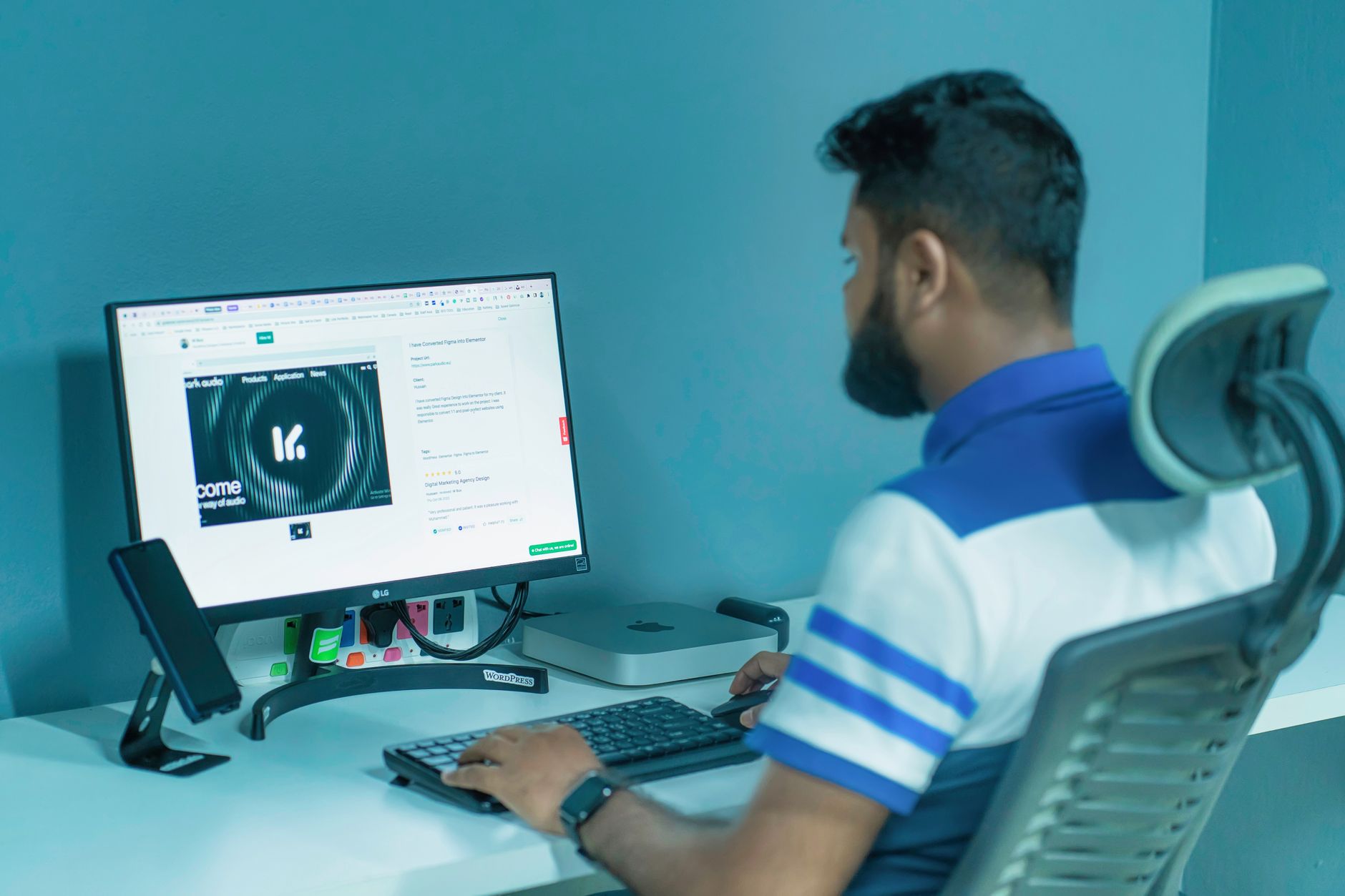
A back-friendly workstation starts with your chair. Adjust the seat height so your feet rest flat on the floor or a footrest, with your knees at about a 90-degree angle. Your hips should be slightly higher than your knees. Sit back in the chair so your lower back touches the lumbar support. If the chair has adjustable lumbar depth, set it to fill the curve without pushing you forward. For a detailed walkthrough, see how to set up an ergonomic workstation.
Next, position your monitor so the top third of the screen is at eye level. This keeps your neck in a neutral position and avoids dragging your shoulders forward. If you use a laptop, raise it on a stand and use an external keyboard and mouse. A laptop placed flat on the desk forces you to look down and hunch, which transmits strain to the upper and lower back. A laptop stand can help, but the external keyboard is the real fix. If you use multiple monitors, set the primary screen directly in front of you. This keeps your head from turning all day.
Your keyboard and mouse should be at a height that lets your elbows stay close to your body and your forearms parallel to the floor. Do not forget your feet. Dangling feet tilt the pelvis backward and increase lumbar pressure. A simple footrest or a chair height adjustment can correct that. A footrest can be especially useful if your desk is too high for your body. Also check that your chair armrests do not push your shoulders up.
Which Ergonomic Tools Actually Help Prevent Back Pain?
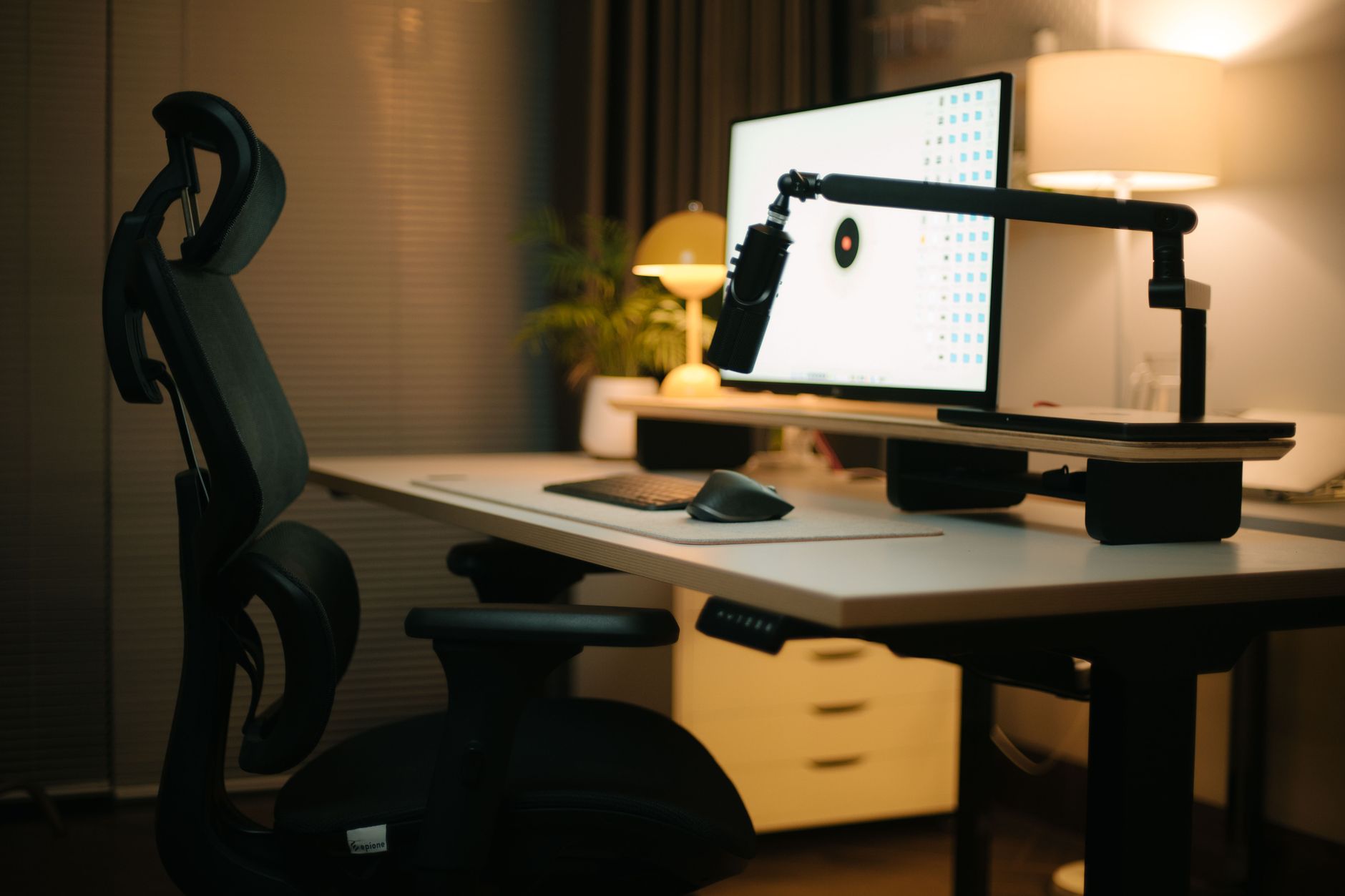
The two tools with the highest return are a supportive chair and a way to alternate between sitting and standing. A chair with adjustable lumbar support, seat depth, and armrests gives you the best chance of maintaining a neutral spine. You do not need to spend thousands. Even budget-friendly chairs can work if they fit your body. Our best ergonomic chairs guide breaks down options for different budgets. A popular mid-range choice is the Steelcase Series 1, which offers adjustable lumbar support and a flexible backrest.
A standing desk or standing desk converter is the second high-impact tool. Standing for part of the day reduces disc pressure and engages your core. But do not stand all day either. The goal is variation. A best standing desks list can help you pick a full desk. If you are not ready to replace your desk, a converter like the VariDesk Pro Plus turns a fixed desk into a sit-stand workstation. For budget-friendly options, check the best standing desk converter guide.
Other tools can support a healthy setup but should not be your first purchase. A monitor arm helps you position the screen at eye level and frees desk space. A footrest helps shorter users keep their feet grounded. A lumbar cushion can help if your chair lacks built-in support, but it is not a substitute for a chair that fits. Start with the chair and movement. Then add accessories only if you still notice a gap.
How Do You Build a Sustainable Sit-Stand Routine?
A common mistake is buying a standing desk and then standing for three straight hours. That can create its own aches. A better target is to change postures every 30 to 45 minutes. For example, sit for 30 minutes, stand for 10 to 15 minutes, and take a two-minute walk every hour. This keeps the discs, muscles, and joints moving without overloading any single position. The correct way to set up a standing desk guide explains the specific heights and angles.
Your body also needs conditioning. Sitting all day shortens the hip flexors and weakens the glutes and deep core. A few minutes of daily strengthening goes a long way. Try glute bridges, bird dogs, and plank holds. These exercises train your trunk to support the spine during long work hours. Stretch the hip flexors and hamstrings after work. This type of routine is often recommended by physical therapists who treat desk-related back pain.
Finally, track how you feel. If you sit for two hours and feel a twinge, shorten your sitting blocks. If you stand for 20 minutes and feel leg fatigue, adjust your mat or shoes. An anti-fatigue mat can make standing more comfortable, but it will not replace movement. The goal is not perfection. The goal is a rhythm that keeps your back from staying still too long.
Frequently Asked Questions
How long should I sit before taking a break?
Stand up and move for at least one or two minutes every 30 to 45 minutes. Even a short walk to the kitchen or a standing stretch resets your posture and reduces spinal disc pressure.
Is sitting or standing better for lower back pain?
Neither is better all day. Prolonged sitting increases disc pressure, while prolonged standing can fatigue the back and legs. The healthiest option is to alternate between sitting and standing throughout the day.
Can a lumbar support cushion fix my back pain?
A lumbar cushion can help if your chair lacks lower back support. But it works best when used with a chair that fits your body and with regular movement breaks. It is not a cure for poor posture or weak core muscles.
What is the best chair feature for back pain?
Adjustable lumbar support is the most important feature. Seat depth, seat height, and armrest height also matter. A chair that allows your feet to rest flat and your lower back to stay supported will reduce strain.
Are standing desks worth it for back pain?
Yes, for many people. Standing desks and converters make it easier to change postures during the day, which helps reduce static load on the lumbar spine. Pair one with an anti-fatigue mat and supportive shoes.
When should I see a doctor for sitting-related back pain?
See a doctor if pain lasts more than a few weeks, radiates below the knee, or comes with numbness, weakness, fever, or bowel or bladder changes. Sharp pain after an injury also needs medical evaluation.
What Should You Remember?
- Movement breaks every 30 to 45 minutes matter more than any chair.
- Lumbar support should fill the curve of your lower back without pushing you forward.
- Monitor height at eye level prevents neck and upper back strain.
- Feet flat on the floor or a footrest keep your pelvis and spine neutral.
- Sit-stand variation reduces disc pressure more than standing all day.
- Strength training for glutes and core builds endurance for desk work.
- Sharp or radiating pain needs a clinical evaluation, not just ergonomic tweaks.
This article is for general information only and is not medical advice. Ergonomic guidance varies by body type and underlying conditions. Consult a physician or physical therapist for persistent pain before changing your workstation.