
Standing desks stopped being a novelty around the time employers started quoting OSHA’s guidance on alternating posture through the workday. The problem is that most sit-stand desks arrive as a frame, a top, and a pile of bolts, then leave you to solve storage, charging, and cable management on your own. FlexiSpot built the Comhar line to answer exactly that. It is an all-in-one desk: top, frame, drawer, USB ports, and a sit-stand reminder in a single box. That convenience is the whole pitch, and it is also where the tradeoffs begin. If you are weighing a Comhar against a frame-only desk from Uplift or a pre-assembled Vari, our best standing desks for 2026 comparison covers the wider field before you spend anything.
The Comhar name covers two very different desks. The standard Comhar All-in-One runs a two-stage frame and sits in the budget tier. The Comhar Pro Q8 uses three-stage legs, a wider top, and a drawer with an integrated charging pad. Both include a built-in drawer, which is uncommon at this level. Neither is a heavy-duty platform. The standard model holds about 110 pounds. The Pro doubles that to roughly 220. OSHA’s ergonomics guidance for computer workstations keeps circling one idea: change posture often, and set the work surface so your elbows rest near 90 degrees. A desk that is easy to move gets used. A desk that fights you does not.
I compared both Comhar models against three desks that buyers cross-shop constantly: the Vari Electric, the Uplift V2, and the Herman Miller Jarvis, the desk once sold under the Fully name. The comparison runs on published specs, including height range, load capacity, desktop dimensions, top thickness, warranty terms, and assembly time. I also weighed the things spec sheets hide, like how much knee clearance a drawer steals and how much a desk wobbles at full standing height. Those two factors decide whether you actually stand during the day or press the button twice and give up.
Start with your body, not the desk. Cornell University’s ergonomics researchers publish a straightforward rule for work surface height: the surface should sit just below elbow height when you are seated, so your upper arms hang vertically and your wrists stay flat. Once you know that number, the desk’s height range becomes the deciding spec. Someone 5 feet 3 inches tall needs a low starting point, ideally under 26 inches. Someone 6 feet 4 inches tall needs a top end near 50 inches. Then check depth: 24 inches works for a laptop, 28 to 30 inches works for dual monitors. Our guide to setting up a standing desk correctly walks through the measurements in order.
How Do the Top Options Compare?
| Desk | Best For | Height Range | Load Capacity | Warranty | Price |
|---|---|---|---|---|---|
| FlexiSpot Comhar All-in-One | Small home offices that need storage | 28.3 to 47.6 inches | 110 lb | 15-year frame | Check price |
| FlexiSpot Comhar Pro Q8 | Built-in charging and a wider top | 25.6 to 50.6 inches | 220 lb | 15-year frame | Check price |
| FlexiSpot E7 | Custom tops and heavy loads on a budget | 22.8 to 48.4 inches | 355 lb | 15-year frame | Check price |
| Vari Electric Standing Desk | Five-minute assembly | 25.5 to 50.5 inches | 250 lb | 5 years | Check price |
| Uplift V2 | Heavy loads and accessory choice | 24.4 to 50.1 inches | 355 lb | 15 years | Check price |
| Herman Miller Jarvis | Lowest wobble at standing height | 25.5 to 51.1 inches | 350 lb | 15 years | Check price |
Height ranges are quoted as published and assume a 1 inch thick desktop where the manufacturer lists the range with a top attached. Warranty coverage on most of these desks is split by component, with the frame carrying the longest term and the motor, controller, and electronics covered for shorter periods. Verify current specs on the manufacturer page before ordering, since frame revisions happen without a model name change.
1. FlexiSpot Comhar All-in-One Standing Desk , Best for Small Home Offices That Need Storage
The standard Comhar is the desk most people mean when they search for a FlexiSpot Comhar. It arrives as one box: a 48 by 24 inch top, a two-stage frame, a shallow drawer under the front edge, two USB-A ports, and a keypad with three memory presets plus a sit-stand reminder. Height range runs from roughly 28.3 inches to 47.6 inches, which covers seated and standing work for most people between 5 feet and 6 feet tall. The top is 1 inch thick MDF with a laminate skin. It shrugs off coffee rings and keyboard scratches, and it does not pretend to be solid wood.
The drawer is the reason to pick this model over a bare frame. It swallows a keyboard, a notebook, pens, and a laptop power brick, which clears the desktop without adding a filing cabinet to your office. Two USB-A ports sit in the drawer face, so a phone can charge inside a closed drawer. In a 10 by 10 foot spare bedroom, that is real floor space saved. The sit-stand reminder is a small thing that changes behavior more than people expect, because it nudges you to move before your lower back starts complaining.
Here is the honest part. The 110 pound capacity sounds generous until you do the math. Two 27 inch monitors on a heavy dual arm can reach 40 pounds on their own, before you add a laptop, speakers, or a desktop tower sitting on the surface. Stay near 60 pounds of gear and the frame feels steady. Push past it and you will feel the top flex when you lean on it. The two-stage legs also stop at 47.6 inches, which is short for anyone over 6 feet 1 inch. The drawer steals a few inches of knee clearance as well, so measure from the floor to the underside of the drawer before you commit.
A clamping monitor arm solves the surface real estate problem far better than a freestanding stand, and it keeps the desktop clear for actual work. Assembly takes 20 to 30 minutes with one person and the included hex key. FlexiSpot splits warranty coverage by component, with the frame carrying the longest term and the motor, controller, and electronics covered for shorter windows. Check the FlexiSpot Comhar on Amazon if the storage-first layout matches how you work.
Key strengths:
- ✅ Integrated drawer and two USB-A ports keep the desktop clear without extra furniture.
- ✅ Three memory presets and a sit-stand reminder make posture changes a habit rather than a decision.
- ✅ Ships as a complete desk, so there is no separate top to source or drill.
- ✅ 48 by 24 inch footprint fits bedrooms and apartments where a 60 inch desk will not.
- ✅ Uses a 1 inch thick laminated top that resists scratches and moisture well for the tier.
- ❌ 110 pound capacity leaves little headroom once dual monitors and a desktop PC are on top.
- ❌ The two-stage frame stops at 47.6 inches, which is too low for users over 6 feet 1 inch.
- ❌ The drawer reduces knee clearance and blocks some under-desk storage options.
Who it’s for: Choose the standard Comhar if you work in a small room, want storage and charging built into the desk, and stay under 6 feet 1 inch tall.
2. FlexiSpot Comhar Pro Q8 Standing Desk , Best for Built-In Charging and a Wider Top
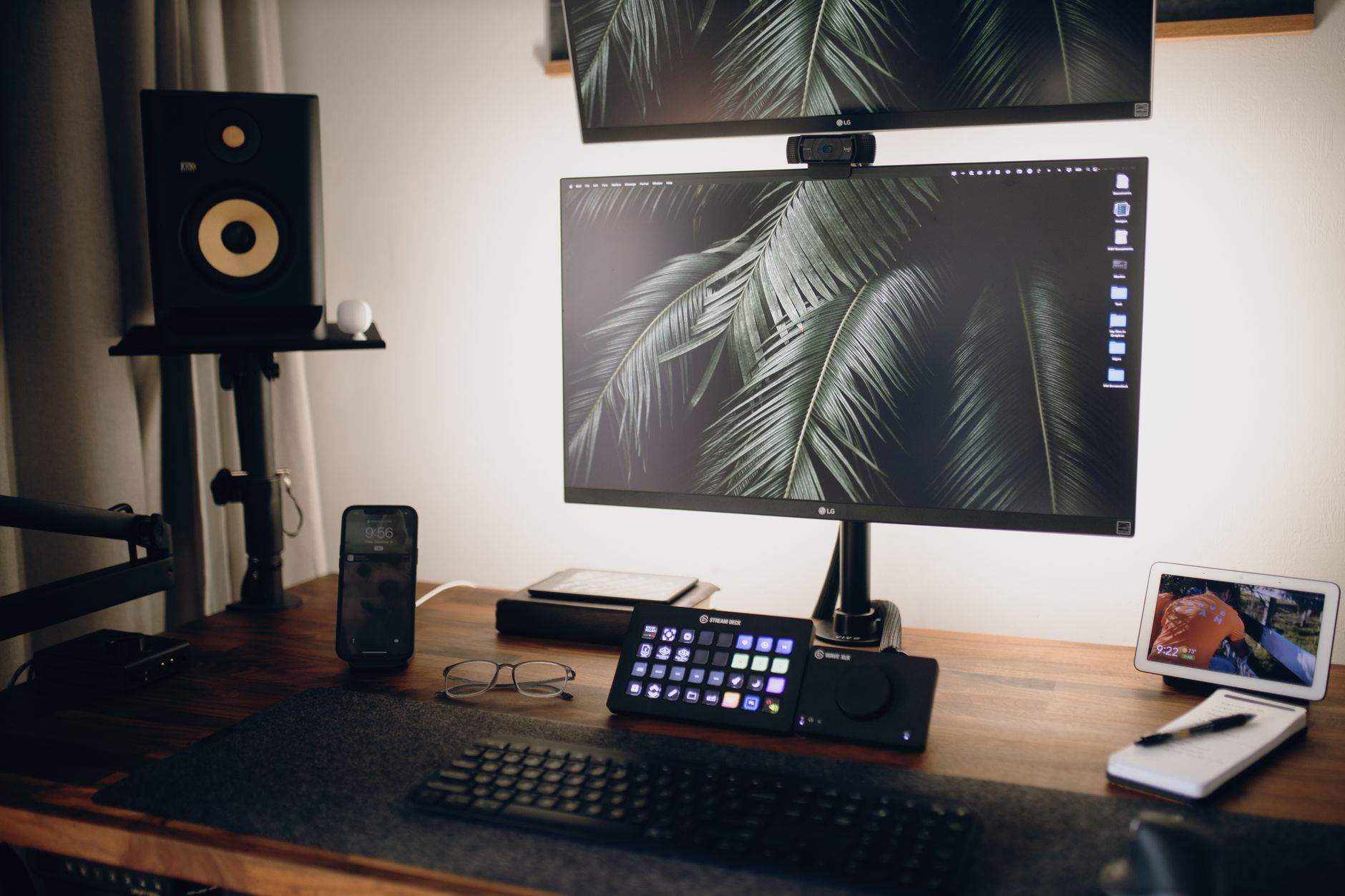
The Comhar Pro Q8 is the grown-up version of the same idea. Three-stage legs stretch the range from about 25.6 inches to 50.6 inches, which finally accommodates someone 6 feet 3 inches tall without adding a keyboard tray. The main top measures 55 by 28 inches, and a 48 by 24 inch version exists for tighter rooms. Load capacity doubles to roughly 220 pounds. Dual motors lift the desk quietly, and an anti-collision sensor stops the top if it meets a chair arm or a window sill on the way up.
The drawer is the headline feature. It is deeper than the standard Comhar’s, and the lid includes a wireless charging pad plus USB and USB-C ports. Drop a phone on the pad, close the drawer, and the cable clutter disappears from view. Four memory presets on the keypad let you store seated and standing heights for two different people working at the same desk. A cable tray runs along the rear edge, and the top has rounded corners that are kinder to forearms during long sessions.
Tradeoffs exist and they are worth naming. Three-stage frames are less rigid than two-stage frames at the same height, so the Q8 sways a little more at 50 inches than a two-stage desk does at 45. The drawer also eats knee clearance, which matters if you are tall or like to use a footrest. The Pro costs meaningfully more than the standard Comhar, so you are paying for height range, capacity, and charging rather than for a sturdier frame.
Follow a full workstation setup guide and place your monitors and keyboard before you order, because a 28 inch deep top changes how far your screens sit from your eyes. FlexiSpot publishes a 15-year warranty on the Q8 frame, with shorter terms on the motor and electronics. Check the FlexiSpot Comhar Pro on Amazon if you want charging built into the desk instead of taped to the back edge.
Key strengths:
- ✅ Height range of 25.6 to 50.6 inches fits both short and tall users.
- ✅ 220 pound capacity handles dual monitors, a laptop, and a desktop tower together.
- ✅ Drawer lid has a wireless charging pad plus USB and USB-C ports.
- ✅ Four memory presets make it easy for two people to share one desk.
- ✅ Integrated cable tray and rounded top corners reduce clutter and forearm pressure.
- ❌ Three-stage legs make the top slightly less rigid at maximum height.
- ❌ The deeper drawer takes more knee clearance than the standard Comhar.
- ❌ Costs noticeably more than the standard model for range and charging alone.
Who it’s for: Pick the Comhar Pro Q8 if you are tall, run a heavy monitor setup, and want charging built into the desktop.
3. FlexiSpot E7 Standing Desk , Best for Custom Tops and Heavy Loads
The E7 is FlexiSpot’s frame-first desk, and it is the model most Comhar shoppers end up comparing against. Buy it as a frame only and mount your own top, or take one of the bundled versions with a 48, 55, 60, or 72 inch top in bamboo, rubberwood, or laminate. The three-stage legs run from about 22.8 inches to 48.4 inches once a 1 inch top is bolted on. That low starting point is unusual, and it matters for shorter users who want their feet flat on the floor without a footrest.
Capacity is the big number. The E7 is rated to roughly 355 pounds, more than three times the standard Comhar. Dual monitors, a heavy PC tower, a printer, and a shelf of reference books stay well inside that limit. The frame uses a crossbar-free design, so nothing blocks your shins when you sit down. FlexiSpot publishes a 15-year warranty on the E7 frame, with shorter terms on the motor and the controller.
What you give up is everything the Comhar includes. No drawer. No USB ports. No sit-stand reminder unless you swap in a different keypad at checkout. Assembly takes 30 to 45 minutes, and you will flip the desk onto its top at least once, which is awkward to do alone on a 72 inch model. Cable management is a separate purchase on most configurations. The E7 is the better desk if you care about capacity and height range, and the worse desk if you want the workspace to arrive finished.
Budget a desk mat into the order, since the laminate and bamboo tops both get cold on bare forearms during a long morning. Check the FlexiSpot E7 on Amazon if capacity matters more to you than a built-in drawer.
Key strengths:
- ✅ 355 pound capacity is the highest in this comparison and leaves large headroom.
- ✅ Low starting height of about 22.8 inches suits shorter users and kids at shared desks.
- ✅ Frame-only option lets you reuse an existing hardwood or butcher block top.
- ✅ Fifteen-year frame warranty with a crossbar-free design that keeps shins clear.
- ✅ Top sizes run from 48 to 72 inches, covering tight rooms and long dual-monitor spreads.
- ❌ No drawer, USB ports, or sit-stand reminder at the base configuration.
- ❌ Assembly runs 30 to 45 minutes and requires flipping a heavy desk.
- ❌ Cable management tray and other accessories cost extra.
Who it’s for: Choose the E7 if you want maximum load capacity and height range and do not mind buying storage and cable management separately.
4. Vari Electric Standing Desk , Best for Fast Assembly
Vari’s pitch is assembly time, and it is not marketing fluff. The legs ship already attached to the top, so the entire job is flipping the desk over and tightening four bolts. Most people finish in five to ten minutes without help. Anyone who has abandoned a flat-pack desk halfway through the instructions will understand why that matters.
The 60 by 30 inch top is the popular configuration, with smaller and larger sizes available. Height range runs about 25.5 inches to 50.5 inches, capacity is 250 pounds, and the keypad offers memory presets along with a posture reminder that you can program. The work surface is a 1 inch thick laminate with a durable edge band, and the frame is powder-coated steel in several colors.
The five-year warranty is the weak point. Uplift, FlexiSpot, and Jarvis all publish 15-year frame coverage, and a desk is a decade-long purchase for most households. Accessory support is thinner as well: no integrated drawer, fewer grommet choices, and a smaller cable management catalog. The cable management tray is an add-on, and it is worth buying at the same time.
Vari also does not offer a frame-only version, so you cannot bring your own top or reuse one from an old desk. That is a real limitation for anyone who already owns a nice surface. For a fast, stable, good-looking desk in a spare bedroom, it remains one of the easiest recommendations in the category.
Key strengths:
- ✅ Legs ship pre-attached, so assembly takes about five to ten minutes.
- ✅ A 60 by 30 inch top gives plenty of depth for dual monitors.
- ✅ Height range of 25.5 to 50.5 inches fits most adults comfortably.
- ✅ Powder-coated steel frame comes in multiple color options.
- ✅ Memory presets and a programmable reminder are included on the standard keypad.
- ❌ Five-year warranty is far shorter than the 15-year frame coverage on competitors.
- ❌ No frame-only option, so you cannot reuse an existing desktop.
- ❌ Accessory catalog is limited compared with Uplift or FlexiSpot.
Who it’s for: Buy the Vari if you want a solid standing desk assembled before your coffee gets cold and you are comfortable with a five-year warranty.
5. Uplift V2 Standing Desk , Best for Heavy Loads and Customization
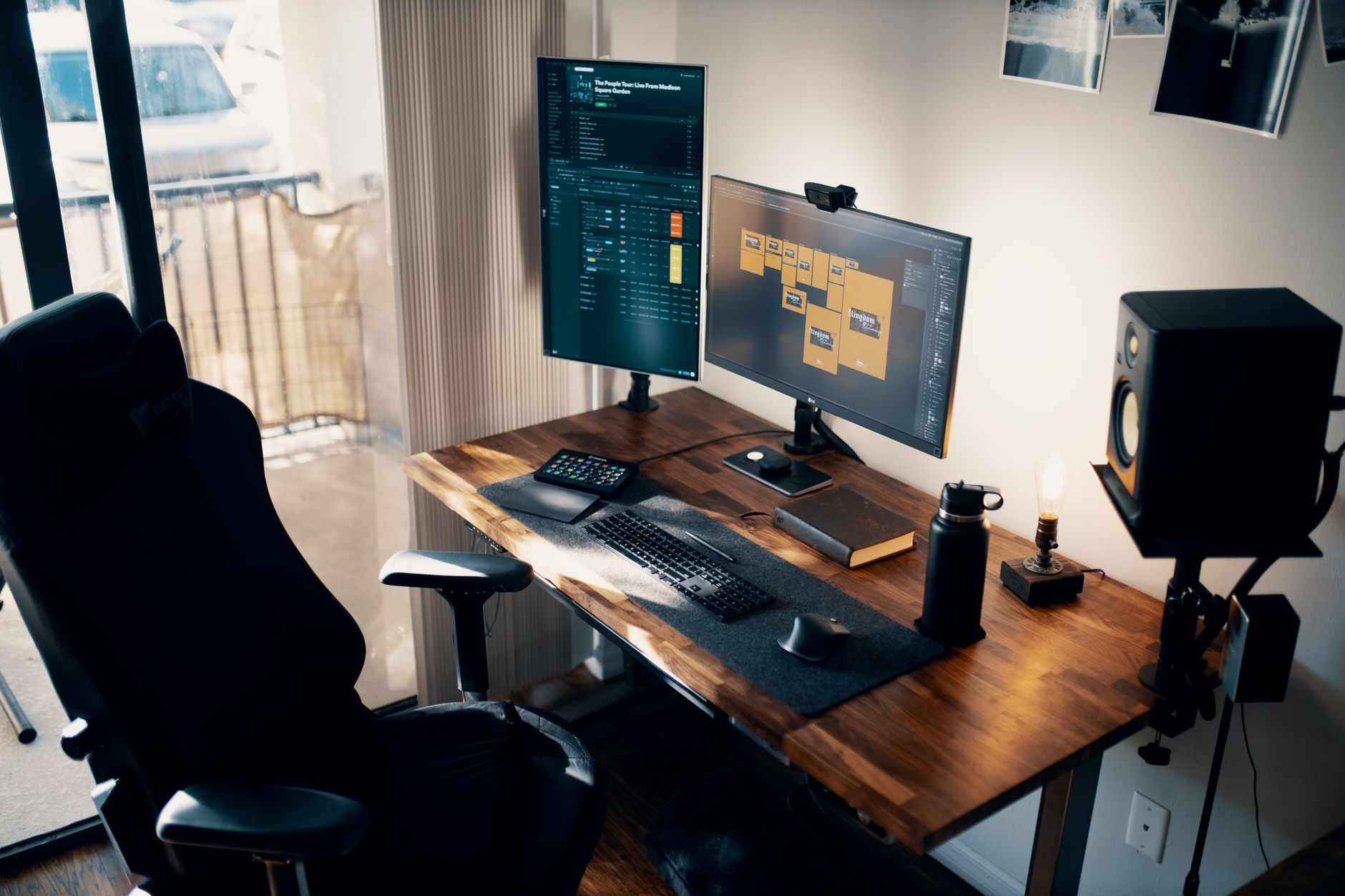
Uplift’s V2 is the desk people buy when they plan to customize every square inch. Two-stage legs cover roughly 24.4 to 50.1 inches, while three-stage legs reach about 51.1 inches with a 1 inch top attached. Capacity sits at 355 pounds. The frame carries a 15-year warranty, one of the longest in the category, and a commercial-rated version exists for shared offices that need to survive shift changes.
The catalog is the differentiator. Dozens of top sizes from 42 to 80 inches, solid wood and bamboo options, configurable grommet placement, and accessories that include a keyboard tray, a CPU holder, a cable management tray, a power strip, and an under-desk hammock. If you want a 72 inch walnut top with a monitor arm bolted through a grommet and a locking drawer bolted underneath, Uplift sells all of it in one order with one warranty.
Cost creeps fast. The base desk is competitive with the Comhar Pro, then the tray, the keypad upgrade, and the premium top add up quickly. Assembly runs 30 to 60 minutes, longer than the Vari, and the frame is heavy to move alone. There is also no integrated drawer or USB charging on the standard configuration, so the Comhar still wins on out-of-the-box storage.
Add a height-adjustable footrest if your chair does not drop low enough to keep your feet flat on the floor, since a desk this tall can leave shorter users dangling. The V2 is the right call when you want one desk to handle every accessory you plan to bolt to it.
Key strengths:
- ✅ 355 pound capacity and 15-year frame warranty put it at the top of the class.
- ✅ Top sizes run from 42 to 80 inches with solid wood and bamboo choices.
- ✅ Accessory catalog covers keyboard trays, CPU holders, power strips, and drawers.
- ✅ Commercial-rated frame option for shared or multi-user offices.
- ✅ Three-stage legs reach about 51.1 inches, one of the highest ranges available.
- ❌ Accessories and premium tops push the total cost up quickly.
- ❌ Assembly takes 30 to 60 minutes and is heavy to manage alone.
- ❌ No integrated drawer or USB charging on the standard configuration.
Who it’s for: Pick the Uplift V2 if you want a heavy-duty frame, a specific top size, and room to add accessories over several years.
6. Herman Miller Jarvis Standing Desk , Best for Low Wobble at Standing Height
The desk once sold as the Fully Jarvis now carries the Herman Miller name, and the frame underneath is largely the same design. Three-stage legs span about 25.5 to 51.1 inches. Capacity is 350 pounds. The 15-year frame warranty carried over from the Fully era, and the service network is the real upgrade: replacement parts and support now come from a company with decades of office furniture behind it.
Stability is the selling point. The Jarvis is consistently among the least wobbly desks at standing height in its class, partly because the frame uses a wider stance and heavier gauge steel than most budget competitors. Bamboo tops in 1 inch thickness are available, along with laminate options in several finishes. The keypad stores multiple height presets, which matters more than people expect once two people share a desk.
You pay for that stability. The Jarvis costs more than a Comhar Pro with similar specs, and it has no drawer, no built-in USB, and no charging pad. The accessory catalog has narrowed since the Herman Miller acquisition, so some add-ons that Fully sold are harder to find now. Assembly takes 30 to 45 minutes and the box is heavy enough that two people should carry it.
If you already own a monitor arm and a keyboard tray, and you want a bare, stable work surface that will outlast three apartments, this is the buy-once option. If you want the workspace to arrive with storage and charging included, the Comhar line is the better fit.
Key strengths:
- ✅ Among the most stable desks at full standing height in this class.
- ✅ Fifteen-year frame warranty backed by Herman Miller’s service network.
- ✅ 350 pound capacity and a height range up to about 51.1 inches.
- ✅ Bamboo and laminate tops in 1 inch thickness with several finishes.
- ✅ Keypad stores multiple height presets for shared desks.
- ❌ Costs more than comparable FlexiSpot models with similar specs.
- ❌ No drawer, USB ports, or charging pad anywhere in the base configuration.
- ❌ Accessory selection has narrowed since the Herman Miller acquisition.
Who it’s for: Choose the Jarvis if stability at full height and long-term service matter more to you than built-in storage and charging.
Frequently Asked Questions
Does the FlexiSpot Comhar include the desktop?
Yes. Both the standard Comhar and the Comhar Pro Q8 ship as complete desks with the top, frame, drawer, and keypad in the box. You do not need to buy a separate work surface.
What is the height range of the FlexiSpot Comhar?
The standard Comhar moves from about 28.3 inches to 47.6 inches. The Comhar Pro Q8 uses three-stage legs and covers roughly 25.6 inches to 50.6 inches. The Pro is the only version that works comfortably for users over 6 feet 1 inch.
Can the Comhar hold two monitors?
The Pro Q8 handles dual monitors easily with its 220 pound capacity. The standard Comhar is rated near 110 pounds, so two 27 inch displays on a heavy dual arm plus a laptop can eat most of that budget. Keep total gear near 60 pounds on the standard model.
Does the Comhar drawer get in the way of your knees?
It takes up several inches of knee clearance under the front edge. Taller users and anyone who sits with their knees high should measure floor to the underside of the drawer before buying. The Pro drawer is the deeper of the two.
How long does Comhar assembly take?
Plan on 20 to 30 minutes with one person and the included hex key. The frame arrives in pieces, so you will attach the legs to the top and flip the desk upright at least once. The Vari Electric is faster because its legs ship pre-attached.
Is the Comhar better than an Uplift V2?
It depends on what you value. The Comhar wins on integrated storage and charging. The Uplift V2 wins on load capacity at 355 pounds, top size options, and a wider accessory catalog. Both publish long frame warranties.
What Should You Remember?
- Measure your seated elbow height first. The desk height range has to reach a few inches below that number, or the desk will not fit you no matter how good the reviews are.
- The drawer is the Comhar’s real advantage. Integrated storage and USB charging are rare at this tier, and they clear clutter in small rooms better than a filing cabinet.
- Capacity is the spec people ignore. The standard Comhar holds about 110 pounds, so two big monitors on a heavy arm plus a laptop can consume most of it. The Pro doubles that figure.
- Height range decides who fits. The standard Comhar tops out at 47.6 inches, which is short for tall users. The Pro reaches 50.6 inches and is the safer pick above 6 feet 1 inch.
- Warranty terms are not equal. Vari covers its desk for 5 years, while FlexiSpot, Uplift, and Jarvis publish 15-year frame coverage with shorter windows on motors and electronics.
- Buy the accessories with the desk. A clamping monitor arm, a footrest, and a desk mat solve the problems a standing desk does not fix on its own.
This article is for general information only and is not medical advice. Ergonomic guidance varies by body type and underlying conditions. Consult a physician or physical therapist for persistent pain before changing your workstation.