
Quick Answer
The Logitech MX Vertical ($99) is the best ergonomic mouse for most desk workers with wrist or forearm pain — its 57° vertical grip eliminates forearm pronation and is backed by clinical research showing reduced muscle activity vs. standard mice. For trackball preference, the Logitech MX ERGO ($99) is the best option. According to NIOSH ergonomics guidelines, mouse usage is a significant contributor to upper extremity musculoskeletal disorders in computer workers.
Your mouse is responsible for roughly half of your daily computer interaction — and most people use a standard horizontal mouse that holds the forearm in full pronation (palm facing down) for hours at a time. Extended forearm pronation compresses the muscles and tendons of the forearm against the radius bone, contributing to a range of repetitive strain injuries including mouse elbow, wrist tendinopathy, and carpal tunnel syndrome.
Ergonomic mice address this through three different approaches, each with different tradeoffs.
The Three Types of Ergonomic Mouse
Vertical Mice
Vertical mice rotate the hand to a "handshake" orientation (thumb up, 57–90° from horizontal). This eliminates forearm pronation entirely — the single biggest mechanical risk factor in standard mouse use. Tradeoff: precision decreases slightly during the 3–7 day adaptation period, and vertical mice don't work well for graphics/design work where fine cursor control is critical.
Sculpted/Contoured Mice
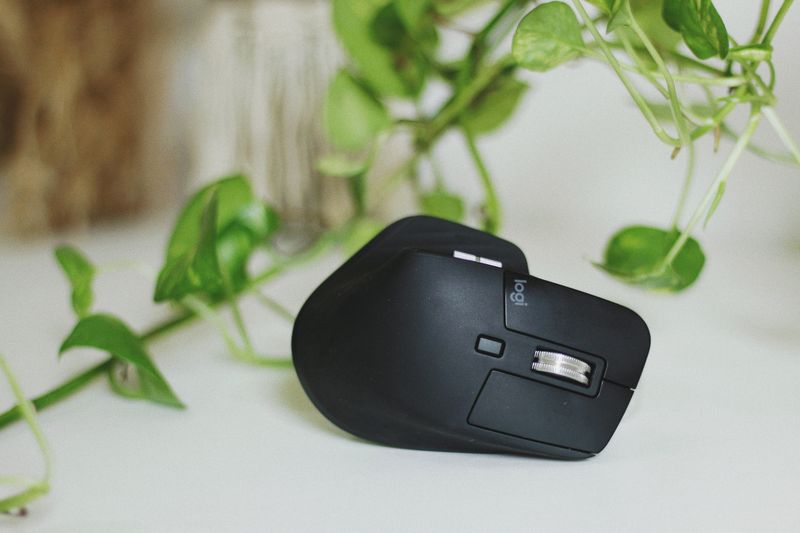
Sculpted mice (like the Logitech MX Master 3S) don't change the hand orientation radically, but their contoured shape fills the palm, reduces grip force, and positions the wrist more naturally than flat standard mice. Best for users who want ergonomic improvement without an adaptation period.
Trackballs
Trackball mice move the cursor by rolling a ball with the thumb or finger — the hand stays stationary. This eliminates all arm and wrist movement associated with mouse use, making it the most radical reduction in repetitive motion. Ideal for users whose strain comes from extensive mouse movements (designers, editors). Learning curve is moderate (1–2 weeks for precision tasks).
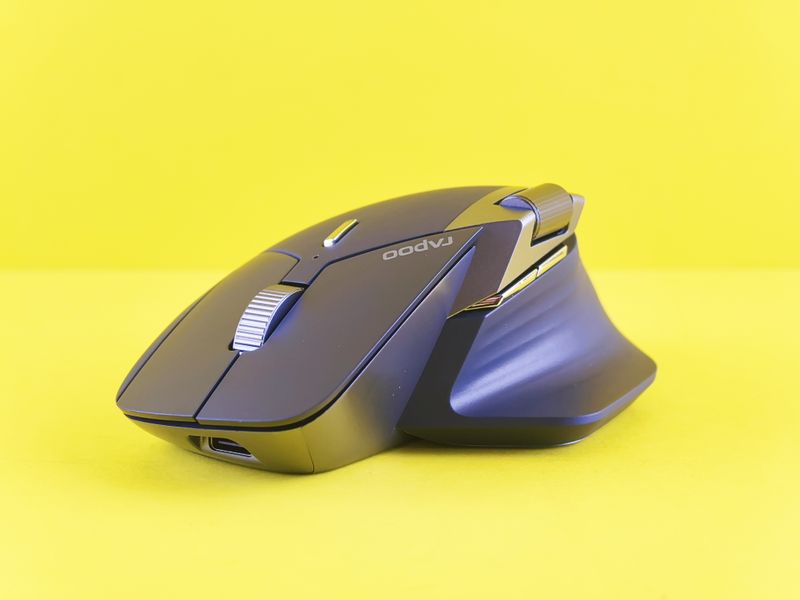
Best Ergonomic Mice 2026: Our Top Picks
1. Logitech MX Vertical — Best Overall Ergonomic Mouse
The Logitech MX Vertical has been the benchmark vertical mouse since 2018 and remains the best option in 2026. The 57° angle is exactly at the natural handshake position, the textured rubber grip is comfortable for palms and claws, and Logitech's MX technology (excellent optical sensor, multi-device Bluetooth, rechargeable via USB-C) rounds out a complete package. Studies show the MX Vertical reduces muscle activity in the forearm by 10% and wrist extension by 22% vs. standard mice. Highly recommended for anyone with forearm or wrist strain.
Check current prices on Amazon
2. Anker Vertical Ergonomic Mouse — Best Budget Vertical ($30)
The Anker Vertical Ergonomic Mouse provides the core benefit of a vertical grip at a fraction of the cost. It's wired (no Bluetooth), uses AA batteries, and lacks the premium sensor of the MX Vertical — but for users who simply want to try vertical mouse ergonomics before committing to $99, it's a credible entry point. Available in multiple sizes (important: vertical mice are significantly affected by hand size).
Check current prices on Amazon
3. Logitech MX Master 3S — Best Sculpted Horizontal Mouse
For users who don't want to switch to vertical, the Logitech MX Master 3S ($99) is the best sculpted ergonomic mouse. Its contoured shape supports the palm arch, the magspeed scroll wheel reduces thumb strain on heavy scrolling tasks, and the low-profile side buttons are positioned for natural thumb resting. Excellent for right-handed power users doing document work, browsing, and coding. Works poorly for left-handed users (the ergonomic contouring is right-handed-specific).
4. Logitech MX ERGO — Best Trackball Mouse
The Logitech MX ERGO adjusts between 0° and 20° of tilt (which partially reduces pronation), uses a large thumb-controlled trackball, and connects via Bluetooth to two devices simultaneously. It's slightly large for small hands but excellent for medium-to-large hands. Best for users who do extensive cursor movement (design, spreadsheets, editing) where arm travel is the primary strain source.
Check current prices on Amazon
Mouse Positioning: What Matters Beyond the Mouse Itself
According to the Mayo Clinic office ergonomics guidelines, proper mouse positioning is as important as the mouse itself:
- Mouse and keyboard should be at the same height — reaching upward for the mouse is a common shoulder injury source
- Mouse should be close to the body — not far forward (causes shoulder extension)
- Wrist should be neutral when clicking — not elevated on a wrist rest during movement, only during pauses
- Wrist rests should support the palm when at rest, not the wrist bone itself (which compresses the carpal tunnel)
For the complete picture on ergonomic desk setup — chair, keyboard, mouse, and monitor positioning — see our ergonomic workstation setup guide. If wrist pain is your primary concern, our wrist pain guide for desk workers covers stretches, exercises, and medical referral timing.
Frequently Asked Questions
What is the best ergonomic mouse for wrist pain?
The Logitech MX Vertical is the best ergonomic mouse for most users with wrist pain — its 57° vertical angle eliminates forearm pronation, the leading mechanical cause of mouse-related wrist strain. For users who prefer not to change grip style, the Logitech MX Master 3S (sculpted horizontal design) is the best non-vertical option, with a contoured shape that reduces wrist extension.
Are vertical mice actually better for you?
Yes — vertical mice reduce forearm pronation by rotating the hand into a handshake position (thumb up). Research published in Applied Ergonomics found that vertical mice significantly reduce forearm muscle activity compared to standard horizontal mice. Most users report reduced wrist and forearm fatigue within 1–2 weeks of adaptation, though some find the initial learning curve takes 3–5 days of reduced precision.
What is the best trackball mouse for ergonomics?
The Logitech MX ERGO is the best ergonomic trackball mouse — it adjusts between 0° and 20° of tilt, supports the wrist in a neutral position, and eliminates arm movement entirely (the ball does the cursor work). Trackballs are ideal for users with limited desk space or those whose wrist/shoulder pain is related to large arm movements.
How should I position my mouse to reduce wrist strain?
Position the mouse so your elbow is at a 90° angle with the mouse at the same level as your keyboard, close to your body (not reaching forward). Your wrist should be straight — not bent up or down. Use a padded mouse pad with wrist rest to reduce pressure on the carpal tunnel area. Moving the mouse with your whole arm rather than just your wrist reduces repetitive strain injury risk significantly.
Get weekly guides from ErgonomicOffice
No spam. Unsubscribe anytime.