
Quick Answer
The Microsoft Ergonomic Keyboard ($59) is the best entry-level ergonomic keyboard for most desk workers — its gentle wave split and built-in palm rest significantly reduce wrist strain without a difficult learning curve. For heavy typists or those with existing wrist issues, the Logitech MX Keys S Pro ($139) is the premium step up. According to NIOSH ergonomics guidelines, keyboard position is a leading factor in repetitive strain injuries among office workers.
Most desk workers spend more time on their keyboard than any other piece of office equipment — yet most are using a flat, straight keyboard that forces their wrists into an unnatural position for hours per day. Ergonomic keyboards address this by changing the geometry of the keys to allow more neutral wrist and shoulder positioning.
There are three main ergonomic keyboard categories, each solving the problem differently:
- Wave/curved keyboards: Single-piece keyboards with a gentle curve and slight split angle. Easiest to adapt to, most affordable.
- Fixed-split keyboards: Two halves of a keyboard permanently joined at a fixed angle. Bigger ergonomic benefit, minimal learning curve.
- Fully-split keyboards: Two completely separate keyboard halves you position independently. Maximum wrist neutrality, significant adaptation period.
Best Ergonomic Keyboards for Desk Workers (2026)
1. Microsoft Ergonomic Keyboard — Best Overall Under $100
The Microsoft Ergonomic Keyboard is the most popular ergonomic keyboard in the world and for good reason. Its cushioned palm rest, gently curved layout, and soft-landing keys make it the easiest transition from a standard keyboard. Compatible with Windows and Mac. Wired USB only (no wireless) — a tradeoff for the price. The typing feel is mediocre compared to mechanical options, but for the majority of desk workers, comfort over hours matters more than key feel.
Check current prices on Amazon
2. Logitech MX Keys S Pro — Best Wireless Ergonomic
The MX Keys S Pro ($139) is Logitech's premium ergonomic keyboard with a deeper split angle than the Microsoft model, backlit keys, multi-device Bluetooth pairing (up to 3 devices), and a rechargeable battery rated for 10 days with backlighting on. The key feel is notably better than the Microsoft option — low-profile scissor switches with satisfying tactile feedback. An excellent choice for anyone who wants ergonomics plus a genuinely good typing experience.
Check current prices on Amazon
3. Kinesis Freestyle Edge RGB — Best Fully Split Mechanical
The Kinesis Freestyle Edge RGB ($199) is the best fully-split keyboard for power users willing to invest in the adaptation period. The two halves connect via a cable and can be positioned completely independently — allowing shoulder-width separation that dramatically reduces shoulder impingement for wider-shouldered users. Available with Cherry MX Red (linear) or Cherry MX Brown (tactile) switches. RGB backlighting, programmable macros, and a tenting kit accessory for wrist pronation reduction.
Check current prices on Amazon
4. Keychron Q8 — Best Ergonomic Mechanical Under $200
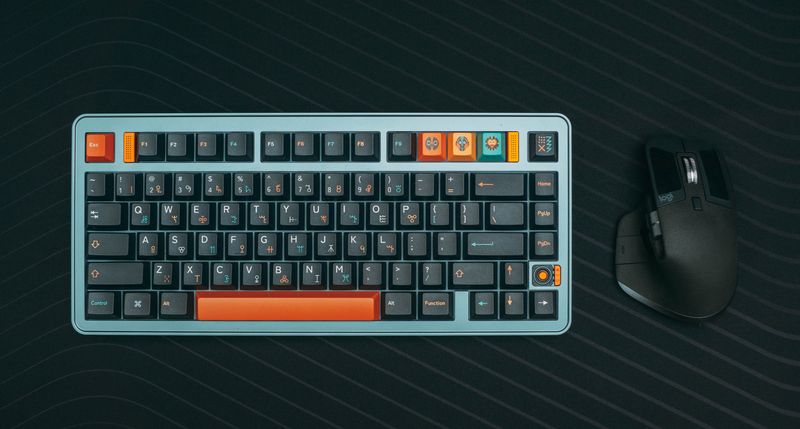
The Keychron Q8 is an Alice-layout (angled split) mechanical keyboard that offers the ergonomic benefits of a split layout without fully separating the halves. It uses a hot-swappable PCB (swap switches without soldering), QMK-compatible firmware for full customization, and comes with your choice of Gateron switches. The Alice layout provides most of the wrist angle benefit of a true split keyboard at standard keyboard form factor — a smart middle ground.
Understanding Ergonomic Keyboard Metrics
The Mayo Clinic office ergonomics guidelines identify three key keyboard positioning goals:
- Neutral wrist position: Wrists should be straight (not bent up/down) when typing
- Reduced ulnar deviation: Hands should point mostly forward (not angled inward)
- Relaxed shoulders: Elbows should rest comfortably at the sides, not forced outward by keyboard width
Standard flat keyboards force all three of these into non-neutral positions. Ergonomic keyboards address one or more of these issues depending on type. A split keyboard addresses ulnar deviation and shoulder width. A tented keyboard addresses wrist pronation. The best ergonomic setups address all three.

Keyboard Tenting: What It Is and Why It Matters
Tenting refers to tilting the keyboard so that the inner edges are higher than the outer edges — like a tent ridge. This reduces forearm pronation (the rotation of the forearm that puts the palm facing down). Extended forearm pronation contributes to repetitive strain injuries by compressing the forearm muscles against the radius bone.
Most ergonomic keyboards don't tent out of the box. Add-on tenting kits are available for the Kinesis Freestyle Edge and some other split keyboards. For wave keyboards like the Microsoft Ergonomic, a slight tenting effect can be achieved with angled keyboard risers.
For a complete ergonomic workstation guide that covers keyboard, mouse, chair, and monitor positioning together, see our ergonomic workstation setup guide. If wrist pain is your primary concern, our wrist pain guide for desk workers covers the full picture including stretches, braces, and when to see a physiotherapist.
Frequently Asked Questions
What is the best ergonomic keyboard for reducing wrist pain?
The Microsoft Ergonomic Keyboard ($59) is the best entry-level ergonomic keyboard for reducing wrist pain — its gentle split and cushioned palm rest reduce ulnar deviation and wrist extension. For more severe wrist issues or high-volume typists, the Logitech MX Keys S Pro ($139) or Kinesis Freestyle Edge RGB ($199) offer more adjustable split angles for greater wrist neutrality.
Are split keyboards worth it for desk workers?
Yes for high-volume typists, with caveats. Split keyboards require 1–3 weeks of adjustment time to regain typing speed. Once adapted, they maintain more neutral shoulder and wrist position than standard keyboards. If you type 4+ hours per day or already experience wrist discomfort, the adaptation period is worthwhile. For occasional typists, a curved ergonomic keyboard like the Microsoft Ergonomic is sufficient.
What is ulnar deviation and why does it cause wrist pain?
Ulnar deviation is the inward bending of the wrist toward the little finger side — what happens when you use a standard flat keyboard with your hands angled inward to reach the keys. Sustained ulnar deviation stretches the tendons and compresses the carpal tunnel. Ergonomic keyboards with a central split reduce ulnar deviation by allowing the hands to approach the keys in a more natural, straight-wrist position.
Can an ergonomic keyboard help with carpal tunnel syndrome?
Ergonomic keyboards can reduce the risk of worsening carpal tunnel syndrome by decreasing wrist extension and ulnar deviation during typing. However, they are not a treatment for existing carpal tunnel syndrome. If you have diagnosed CTS, consult with a physician or occupational therapist before relying on keyboard changes alone. Combined with wrist rests, appropriate mouse positioning, and regular breaks, ergonomic keyboards are part of a comprehensive wrist health strategy.
Get weekly guides from ErgonomicOffice
No spam. Unsubscribe anytime.