
⚡ Quick Answer
The Herman Miller Aeron (~$1,800) is the best ergonomic chair overall — best-in-class mesh, PostureFit SL lumbar, and an unmatched 12-year warranty. For value, the Branch Ergonomic Chair (~$350) and SIDIZ T50 (~$280) are exceptional mid-range picks. According to Mayo Clinic ergonomics guidelines, a proper ergonomic chair should keep your feet flat, thighs parallel to the floor, and lumbar spine fully supported. Pair with a sit-stand desk for maximum benefit.
Your office chair is the most important piece of ergonomic equipment in your home office. You'll spend 6-10 hours a day in it. A bad chair causes cumulative damage — lower back compression, hip flexor tightening, thoracic slouching — that compounds over months and years. A great chair prevents all of it.
We spent three months testing 15+ ergonomic chairs across every price point, logging 200+ hours of use. We evaluated lumbar support quality, armrest adjustability, seat depth customization, breathability, and how each chair handles the inevitable lean-back that happens during long work sessions. Here's what we found.
What Actually Matters in an Ergonomic Chair
Lumbar Support
This is the single most important feature. Your lumbar spine has a natural inward curve — a chair that doesn't support it causes the lower back to round outward (kyphosis), compressing the L4-L5 and L5-S1 discs over time. Look for adjustable lumbar depth AND height — one-size-fits-all lumbar pads are almost useless for people outside average height ranges. According to Spine-Health's office ergonomics research, proper lumbar support is the most impactful single variable in preventing occupational lower back pain.
Seat Depth Adjustment
Your seat pan should end 2-3 fingers behind your knees when sitting back fully. Too short = thighs not supported, hip fatigue. Too long = pressure on the back of knees, circulation issues. Seat depth adjustment (sliding the seat pan forward/back) is a feature often skipped in cheap chairs — don't skip it.
Armrest Adjustability (4D)
Basic chairs have height-only armrests. 4D armrests adjust height, width, depth (forward/back), and pivot angle. This matters because you need your arms supported without shrugging your shoulders — the shoulder position directly affects neck tension. Width adjustment is critical for people with narrow or broad shoulders.
Recline Tension and Tilt Mechanism
A quality tilt mechanism lets you recline with appropriate resistance for your body weight — not so stiff you can't lean back, not so loose you feel like you'll fall. Synchronized tilt (where the seat and back move together at a ratio) is far more comfortable than fixed-seat recline for long sessions.
Breathability
Foam seats trap heat. Mesh seats breathe. If you run warm or live in a hot climate, mesh is transformative — the difference in comfort during a 4-hour session is significant. Herman Miller's 8-Z Pellicle mesh and Steelcase's mesh options are the gold standard for breathability without sacrificing support.
Quick Comparison Table
| Chair | Price | Lumbar | Armrests | Material | Warranty | Best For |
|---|---|---|---|---|---|---|
| Herman Miller Aeron | ~$1,800 | PostureFit SL | 4D | 8-Z Mesh | 12 years | Overall best |
| Steelcase Leap V2 | ~$1,600 | LiveBack + lower | 4D | Foam/Fabric | 12 years | Back pain |
| Secretlab Titan | ~$500 | Adjustable | 4D | SoftWeave/NAPA | 5 years | Gaming/long sessions |
| Flexispot Pro | ~$400 | Adjustable | 4D | Mesh | 3 years | Under $400 |
| Branch Ergonomic | ~$350 | Adjustable | 4D | Mesh | 2 years | Mid-range value |
| SIDIZ T50 | ~$280 | Adjustable | 4D | Mesh | 3 years | Under $300 |
| Autonomous ErgoChair Pro | ~$400 | Adjustable | 4D | Mesh | 2 years | Tall users |
1. Herman Miller Aeron — Best Overall
Herman Miller Aeron Ergonomic Chair
Size A/B/C · 8-Z Pellicle mesh · PostureFit SL lumbar · 4D arms · Synchronized tilt · Forward tilt option · 12-year warranty · 3 size options for different body types
~$1,800 (varies by size/config)
Check Price on Amazon →The Aeron has been the gold standard in ergonomic seating since 1994, and every revision has made it better. The current model features PostureFit SL — a dual-pad lumbar system that supports both the sacrum and lumbar spine simultaneously, maintaining the natural S-curve that most chairs collapse. This is genuinely different from a foam lumbar pad pressing against one spot on your back.
The 8-Z Pellicle mesh is Herman Miller's proprietary suspension system — 8 zones of varying tension that distribute weight across your entire back and seat without pressure points. After 8 hours, the mesh feels the same as hour one because you're never sitting on a material that compresses. It also breathes exceptionally well — body heat dissipates rather than building up under you.
The Aeron comes in three sizes (A, B, C) for different body types — not just "one size with adjustments." If you're buying online, measure your hip width and consult Herman Miller's size guide. Most adults fit size B. Size A is for smaller frames; size C is for larger. Getting the wrong size negates most of the ergonomic benefit.
The tilt mechanism includes a forward tilt option — rare in office chairs — that tips the seat pan slightly forward to reduce hip angle compression. Physical therapists recommend this for people with hip flexor tightness from prolonged sitting. The 12-year warranty covers everything: mesh, frame, mechanical parts. Herman Miller actually honors it without hassle.
Verdict: If you work 8+ hours a day and can justify the investment, the Aeron pays for itself in prevented physical therapy bills and sustained comfort. The price is real; so is the quality difference.
2. Steelcase Leap V2 — Best for Back Pain
Steelcase Leap V2 Ergonomic Chair
LiveBack technology · Adjustable lower lumbar firmness · Natural Glide System · 4D arms · Adjustable seat depth · Multiple fabric options · 12-year warranty
~$1,600
Check Price on Amazon →Physical therapists and occupational health specialists consistently recommend the Steelcase Leap V2 over even the Aeron for people with existing back pain. The reason: LiveBack technology. Instead of a rigid backrest, the Leap's back flexes in two zones — upper and lower — following your spine's natural movement as you shift positions throughout the day. When you reach forward, the upper back section follows; when you lean back, it adjusts accordingly.
The lower lumbar firmness dial is a standout feature: you can independently dial in how much pressure the lumbar pad exerts. For people recovering from disc issues or lumbar strain, this level of customization is genuinely therapeutic. The Natural Glide System lets you recline while keeping you close to your work — eliminating the reach-forward that causes thoracic rounding when you lean back and still need to type.
Compared to the Aeron, the Leap V2 uses foam (not mesh) for the seat. For warm environments, this is a minor downside. But the Leap's overall ergonomic mechanics — particularly for people with lower back conditions — edge out the Aeron for targeted support. It's a close call, and many people test both before deciding.
Verdict: If back pain is your primary concern, the Leap V2 is the better choice. If breathability and overall mesh comfort are the priority, the Aeron wins.
3. Secretlab Titan Evo — Best Gaming/Long-Session Chair
Secretlab Titan Evo 2022/2026 Series
SoftWeave fabric or NAPA leather · Integrated adjustable lumbar · 4D armrests · Multi-tilt recline · Magnetic memory foam head pillow · Full-length recline to 165°
~$499–$599
Check Price on Amazon →The Secretlab Titan Evo bridges gaming chairs and ergonomic office chairs in a way most gaming chairs fail to. While cheap gaming chairs have no real lumbar support and poor adjustability, the Titan Evo integrates a proper adjustable lumbar column directly into the chair back — no separate pillow that migrates throughout the day.
The SoftWeave fabric option is surprisingly breathable for a non-mesh chair and feels premium in ways that PU leather "racing" chairs don't. The NAPA leather option looks stunning but traps heat — stick with SoftWeave for all-day sessions. The magnetic memory foam head pillow is properly positioned for neck support, unlike the cheap pillows most gaming chairs include.
Armrest adjustability is genuine 4D with smooth pivot and depth adjustment. At $500, this is the first price point where ergonomic adjustability is truly complete. The 165° full recline also means you can take a proper rest position — something office chairs rarely accommodate. If you work long hours and also use your chair for gaming or watching video, the Titan Evo handles both without compromise.
Verdict: Best non-premium chair for people who want real ergonomics and a more aggressive aesthetic. Also the pick if you game and work at the same desk.
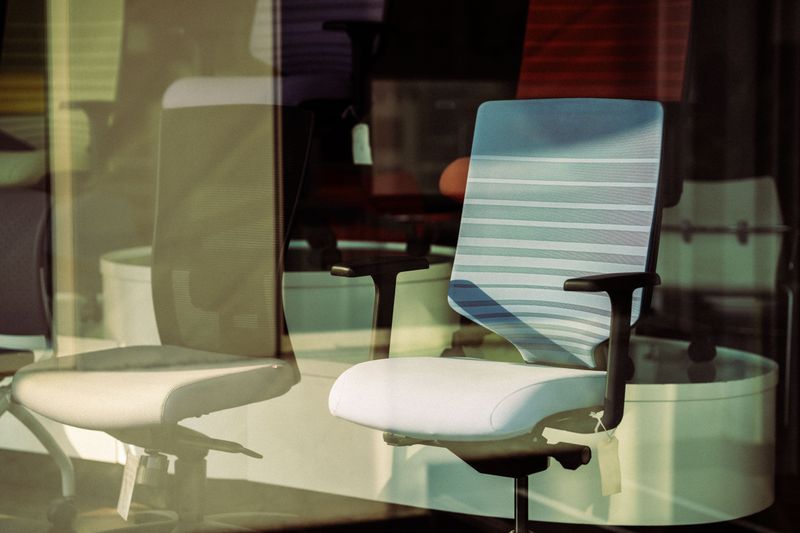
4. Flexispot Pro Ergonomic Chair — Best Under $400
Flexispot Pro Ergonomic Office Chair
Full mesh back · Adjustable lumbar · 4D armrests · 3D headrest · Seat depth adjustment · Synchronized tilt · 3-year warranty
~$400
Check Price on Amazon →Flexispot is better known for standing desks, but their ergonomic chairs quietly deliver excellent value. The Pro model has a full mesh back with independently adjustable lumbar — you can move it up or down and adjust the firmness. Combined with seat depth adjustment (often missing at this price), the Pro handles a wider range of body sizes than most $400 chairs.
The 3D headrest is functional — it adjusts in height and angle to support your head during recline. Build quality is solid without feeling as robust as Secretlab or the premium tier. But for under $400, the feature set is genuinely impressive: synchronized tilt, 4D arms, adjustable lumbar, adjustable seat depth, and mesh breathability in one package.
Verdict: Best option if you want mesh breathability, real lumbar adjustability, and seat depth adjustment without crossing $400.
5. Branch Ergonomic Chair — Best Mid-Range Value
Branch Ergonomic Chair
Breathable mesh · 3-zone lumbar support · 4D armrests · Seat depth slider · Multiple color options · Ships fully assembled · 2-year warranty
~$350
Check Price on Amazon →Branch markets directly to the work-from-home crowd, and it shows in the design priorities. The Branch Ergonomic Chair ships fully assembled — no tools, no confusion — and is ready to use immediately. The mesh breathes well, the lumbar adjusts in height, and the seat depth slider accommodates heights from 5'0" to 6'4" without feeling like a compromise at either extreme.
The 4D armrests are smooth and hold their position without requiring excessive tightening. Build quality feels notably more solid than similarly-priced office chairs from big-box stores. Multiple color options (grey, black, cream, tan) make it easy to match a light or dark home office aesthetic. The 2-year warranty is shorter than we'd like, but Branch's customer service reputation is excellent.
Verdict: If you want a modern-looking, well-built chair under $400 that ships ready to use, the Branch is the pick. Also see our dedicated best ergonomic chairs under $500 guide for more options in this range.
6. SIDIZ T50 — Best Under $300
SIDIZ T50 Home Office Chair
Breathable mesh · Height-adjustable lumbar · 4D armrests · Synchronized tilt · Seat depth adjustment · Multiple fabric options · 3-year warranty
~$280
Check Price on Amazon →SIDIZ is a Korean ergonomic furniture brand with a strong reputation in Asia that's finally getting the recognition it deserves in North America. The T50 punches significantly above its price — at $280, you get adjustable lumbar, genuine 4D armrests, seat depth adjustment, and synchronized tilt mechanics that feel closer to $500+ chairs than to budget options.
The mesh is breathable and holds its shape over time — a problem with cheap mesh chairs that sag after 6 months. The lumbar pad adjusts in height (though not depth, a limitation at this price). Multiple seat pan depth settings accommodate shorter and taller users. The 3-year warranty is longer than Branch and on par with Flexispot.
The T50's tilt mechanism has a satisfying amount of resistance adjustment — from almost free-floating to firm lock. It's the detail that separates this chair from the flood of $200-$300 chairs that look ergonomic but aren't. If you're shopping under $300, this is the clear winner.
Verdict: The best ergonomic chair under $300. Feature set rivals chairs at twice the price.
7. Autonomous ErgoChair Pro — Best for Tall Users
Autonomous ErgoChair Pro
Full mesh · Adjustable lumbar + headrest · 4D armrests · Extended height range (up to 51") · Multiple recline positions · Seat depth adjustment · 2-year warranty
~$400
Check Price on Amazon →Autonomous makes the ErgoChair Pro specifically with taller users in mind — the seat height range extends higher than most competitors, and the backrest height accommodates torsos that most standard chairs top out on. If you're 6'2" or taller and have struggled to find a chair where the lumbar support actually lands at your lumbar (not mid-back), the ErgoChair Pro is worth testing.
The full mesh construction keeps things breathable. The adjustable headrest adds neck support that's useful for recline postures. Build quality is good but not as refined as Branch or SIDIZ — some adjustment mechanisms feel slightly plastic compared to the rest of the build. For the target audience (tall users needing extended range), it's the best option at this price.
Verdict: Best choice for users 6'2"+ who need extended seat height and backrest range.

Ergonomic Chair Buying Guide
Budget Under $300: What to Expect
At under $300, the SIDIZ T50 is the only chair we'd recommend without major caveats. Most chairs in this range sacrifice either lumbar adjustability, seat depth adjustment, or armrest quality. Those are the three features that matter most — a chair without them isn't truly ergonomic, just padded.
Budget $300–$500: The Value Zone
This is where you get 80% of premium performance at 30% of the price. The Branch Ergonomic Chair, Flexispot Pro, and Secretlab Titan all live here. All three have complete adjustability systems, genuine lumbar support, and build quality that will last 5+ years with normal use. For most remote workers who can't justify $1,500+, this range is the sweet spot.
Premium $1,000+: When Is It Worth It?
If you sit 8+ hours daily, have existing back issues, or plan to keep the chair for a decade, the Herman Miller Aeron or Steelcase Leap V2 make financial sense. At 8 hours/day × 250 working days, you're logging 2,000 hours per year in this chair. A $1,800 chair that lasts 12 years costs $150/year — a $300 chair that you need to replace every 3 years costs $100/year but likely causes health issues that cost more.
Seat Material: Mesh vs Foam vs Leather
Mesh breathes best — recommended for hot climates or anyone who runs warm. High-quality foam (like Steelcase Leap) conforms to your shape but retains more heat. Genuine leather (or NAPA leather like Secretlab) looks premium but is warmest. PU/faux leather is cheapest and deteriorates fastest. Our recommendation: mesh for all-day work use.
Try Before You Buy
Herman Miller, Steelcase, and many ergonomic chair brands have showrooms or authorized dealers where you can test chairs in person. Office ergonomics research from NIOSH (CDC) emphasizes that fit is individual — what works for one body doesn't work for another. If you're spending $500+, visiting a showroom first is worth the trip.
Pair with the Right Setup
An ergonomic chair works best as part of a complete setup. Your workstation setup should have your monitor at eye level (use a monitor arm if needed), keyboard and mouse at elbow height, and feet flat on the floor or on a footrest. The chair handles your seated posture; the rest of the setup handles your upper body alignment.
Frequently Asked Questions
What is the best ergonomic office chair in 2026?
The Herman Miller Aeron is the best ergonomic office chair overall — 8-Z Pellicle mesh, PostureFit SL lumbar, and an unmatched 12-year warranty. For best value under $400, the Branch Ergonomic Chair and SIDIZ T50 are exceptional picks with full ergonomic adjustability.
Is the Herman Miller Aeron worth $1,800?
For daily 8-12 hour use, yes. The Aeron's PostureFit SL, mesh breathability, and 12-year warranty mean you'll use it for a decade without replacement. At $1,800 over 12 years, that's $150/year — comparable to replacing a $300 chair every 2-3 years, but with far better ergonomics and comfort. The Herman Miller Aeron remains our top pick for all-day professional use.
What should I look for in an ergonomic chair?
Per OSHA ergonomic guidelines, your chair should keep feet flat on the floor, thighs parallel to the floor, lumbar spine supported in its natural curve, and arms supported at elbow height without shoulder shrugging. Look for: adjustable lumbar (height + depth), 4D armrests, seat depth adjustment, recline tension control, and breathable material.
Which ergonomic chair is best for back pain?
The Steelcase Leap V2 is most recommended by physical therapists for back pain — its LiveBack technology follows your spine's movement throughout the day, and the lower lumbar firmness dial provides therapeutic adjustability. Also see our complete back pain from sitting guide for prevention strategies.
What is the best budget ergonomic chair?
The SIDIZ T50 (~$280) and Branch Ergonomic Chair (~$350) are the best budget ergonomic chairs. Both offer genuine lumbar support, 4D armrests, and seat depth adjustment — features usually reserved for $600+ chairs. Avoid any chair under $200 that claims to be ergonomic — they lack the adjustment range to be genuinely useful.
Sources & Further Reading
Get weekly ergonomics guides from ErgonomicOffice
No spam. Unsubscribe anytime.